
Helper
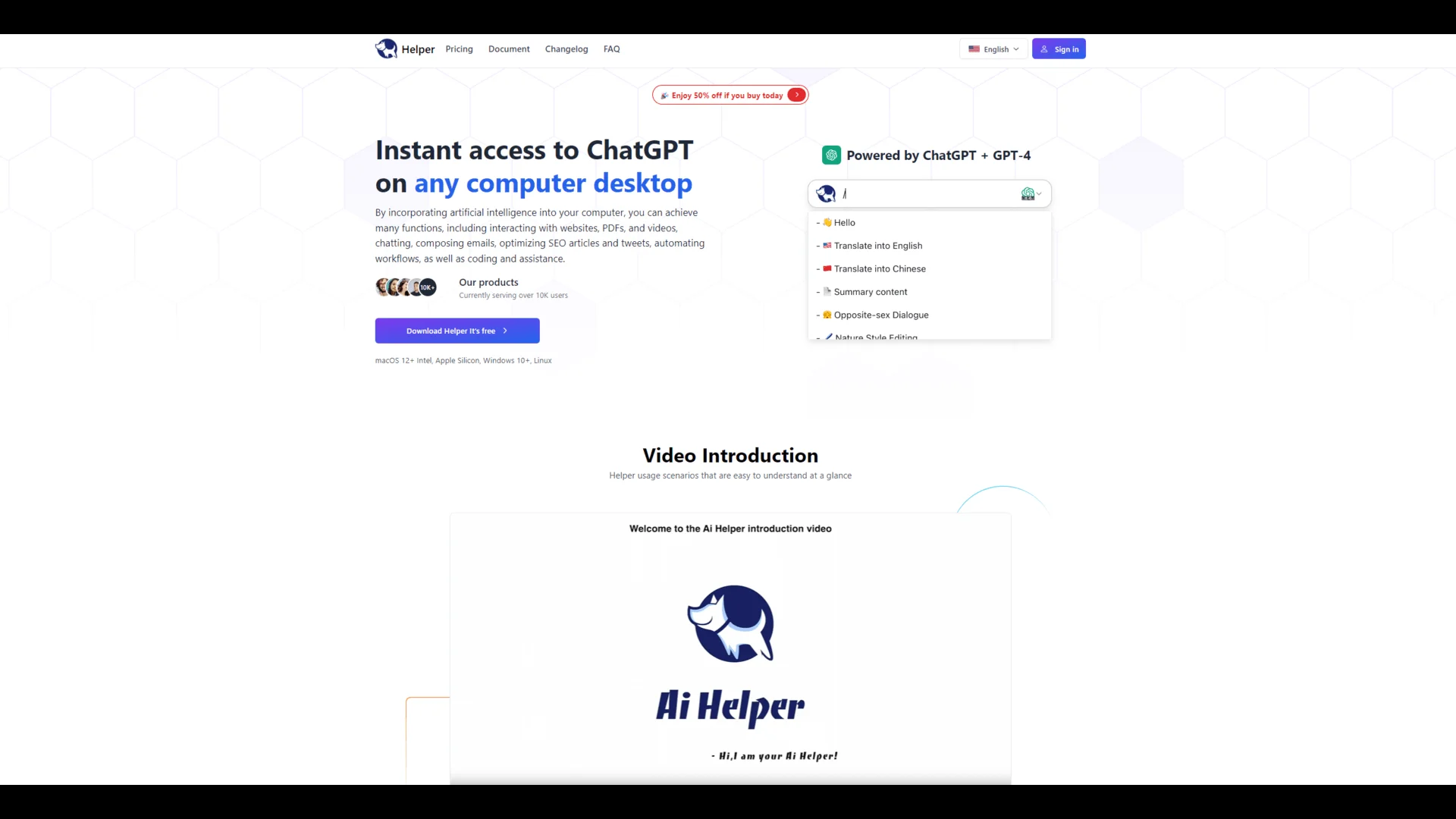
Helper is an AI-powered tool that provides direct access to ChatGPT within your favorite apps, eliminating the need for context switching.
Key Takeaways
- What it is
- Helper is an AI-powered tool that provides direct access to ChatGPT within your favorite apps, eliminating the need for context switching.
- Best for
- Efficient Task Automation
- Advanced Data Management
- Customizable Workflows
- Rating
- 4.6/5
What is Helper?
Helper is a comprehensive, AI-powered tool that maximizes productivity and efficiency. It's your digital efficiency partner, designed to streamline workflows and enhance productivity. Helper integrates seamlessly with various platforms, offering intelligent solutions for task automation, data management, and insightful analytics.
Helper distinguishes itself with its blend of advanced AI capabilities and user-centric design. It seamlessly adapts to various business contexts while maintaining simplicity and efficiency, making it a unique tool.
Helper maximizes productivity and efficiency with its advanced, user-friendly, and comprehensive AI solutions. While it's particularly beneficial for various roles and industries, its robust features and flexibility make it a valuable tool for various business applications. Helper is your digital efficiency partner, enabling efficient and data-driven processes.
Who is Using Helper?
Business Analysts
Empowering data-driven decision-making.
Project Managers
Streamlining project workflows.
Marketing Teams
Automating repetitive marketing tasks.
Freelancers
Managing multiple clients and projects.
Educators
Surprisingly, it organizes educational content and student data.
Key Features
Rating Breakdown
Helper Use Cases
Writing assistance
Configure the assistant to simulate a particular writing style.
Programming assistance
Use a customized assistant to provide programming help.
Brainstorming
Configure the assistant to support brainstorming tasks.
Continuous AI chat
Use Ai Chat mode for continuous conversation.
Code-editor input
Use Typewriter or Paste mode to insert generated content into applications and code editors.
Workflow Ideas with Helper
Generate content in an application
- 1Open Helper in a supported desktop application
- 2Enter a prompt or select a prompt with /
- 3Choose Typewriter or Paste mode to insert the generated content
Create a specialized assistant
- 1Define customized instructions for a task or role
- 2Configure the GPT assistant behavior
- 3Use it for writing, programming assistance, or brainstorming
Use Helper with an OpenAI key
- 1Obtain an OpenAI API key
- 2Connect Helper to OpenAI through the key
- 3Use continuous chat or generated-content modes
How Helper fits into your stack
Desktop / IDE
Helper is a native desktop ChatGPT client for macOS, Windows, and Linux, invoked with keyboard shortcuts and usable with code editors through typewriter or paste generation modes.
Pros
- +Time-Saving: Significantly reduces the time spent on repetitive tasks.
- +Data Handling Proficiency: Excellently manages and interprets large volumes of data.
- +Adaptability: Easily adapts to various business requirements and workflows.
- +Actionable Insights: Delivers valuable insights for better decision-making.
- +Intuitive Navigation: Simplifies the learning curve for new users.
Cons
- −Limited Third-Party Integrations: Could benefit from integration with more external tools.
- −Occasional Glitches: Minor technical issues may occur at times.
Limitations & when to consider alternatives
Known limitations
- Requires an OpenAI API key. Helper requires users to provide their own OpenAI API key.
- Requires an internet connection. Helper communicates with OpenAI servers to generate responses.
- Windows antivirus compatibility issue. Antivirus or firewall software may mistakenly terminate Helper.exe.
- Supported operating systems are desktop platforms. The documentation lists macOS, Windows, and Linux as supported platforms.
- API Proxy may be needed in restricted regions. Access to ChatGPT may be limited in some regions, requiring a proxy configuration.
Look elsewhere when
- You need a mobile application.
- You need a documented developer API.
- You need file or image analysis.
How to Use Helper
- 1
Helper AI Introduction
Frequently Asked Questions
What is an artificial intelligence assistant?
Helper's AI assistant uses customized instructions and GPT configurations to adapt behavior for specific tasks or roles.
What are the requirements for using Helper?
Helper requires a supported computer, an OpenAI API key, and an internet connection.
Which operating systems does Helper support?
The documentation states that Helper currently supports macOS, Windows, and Linux.
What can customized assistants do?
Examples include simulating a writing style, providing programming assistance, and brainstorming ideas.
Why might the Windows version stop working?
The documentation says antivirus or firewall software may mistakenly terminate Helper.exe because it uses system-level APIs.
What can I do if ChatGPT access is restricted?
Helper documents using its API Proxy or configuring a personal reverse proxy for ChatGPT network access.
Community reviews
1 review from people who use Helper.
Sign in to leave a review for Helper.
Warren Lau
Helper Alternatives
Looking for alternatives to Helper? Here are similar tools in the same category:
Learn to Master Helper
With Skill Leap courses
Get in-depth training on Helper and 50+ other AI tools with our expert-led video courses.
Start 7-Day Free Trial