
Glean
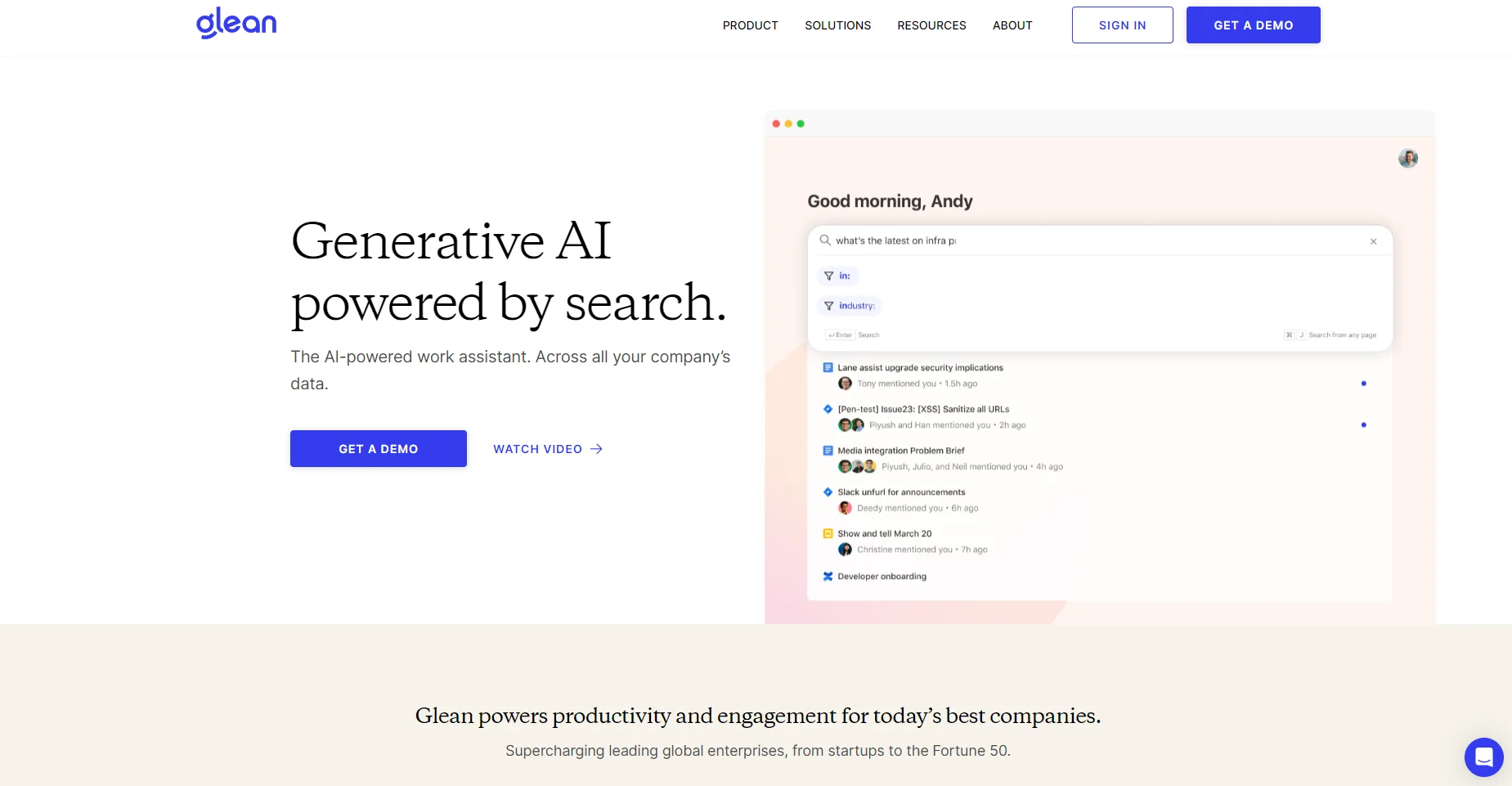
An AI-driven search tool that swiftly personalizes and streamlines access to company data.
Key Takeaways
- What it is
- An AI-driven search tool that swiftly personalizes and streamlines access to company data.
- Best for
- Vector Search with Deep Learning-Based LLMs
- Continuous Training on Company Language
- Generative AI for Enterprise
- Rating
- 4.3/5
What is Glean?
Glean is an advanced enterprise search and knowledge discovery tool that enhances workplace productivity. It leverages AI to provide semantic understanding for natural language queries, making it easier for teams to find relevant information across various company apps. This tool mainly benefits modern enterprises, from startups to Fortune 50 companies, looking to streamline their data search and knowledge management processes.
Glean stands out due to its ability to understand and interpret an individual company's unique language and context. This personalized approach and its generative AI capabilities make it more than just a search tool; it's a comprehensive knowledge discovery solution. Its integration with a wide range of enterprise applications and its emphasis on data privacy and security further enhance its value for modern businesses.
Glean is a powerful tool that revolutionizes how companies manage and access their knowledge base. Its AI-driven search capabilities, personalized results, and robust data security make it an invaluable asset for businesses seeking to enhance productivity and information management. Whether for a startup or a large enterprise, Glean offers a streamlined, efficient, and secure way to navigate the vast amounts of data modern businesses handle. As someone who values efficiency and data-driven insights, Glean is a game-changer in enterprise knowledge management.
Who is Using Glean?
Large Enterprises
For managing extensive data across various departments and platforms.
Startups
To streamline information retrieval and knowledge management.
IT Operations Teams
For quick access to technical documentation and resources.
Business Analysts
For gathering insights from across multiple data sources.
Uncommon Use Cases
Used by HR for managing employee information and by marketing teams for researching and compiling data.
Key Features
Rating Breakdown
Glean Use Cases
Sales prospect outreach
Research sales prospects and generate tailored outreach messages using enterprise context.
Outcome: Faster, more relevant prospect communication.
Support ticket next steps
Summarize ongoing support-ticket activity and suggest next steps for resolution.
Outcome: Quicker issue resolution with better context.
Meeting recap
Compile meeting information, action items, relevant documents, and subject-matter experts.
Outcome: A comprehensive post-meeting recap.
Code assistance
Ask questions about company code, generate snippets, and propose targeted repository changes.
Outcome: Faster debugging and implementation work.
Data analysis
Upload or reference CSV, XLSX, and JSON files and ask questions about statistics, distributions, relationships, and trends.
Outcome: Rapid analysis of structured business data.
Workflow Ideas with Glean
Webpage summarizer
- 1Collect a webpage URL with an input-form trigger
- 2Read the webpage and store its content in memory
- 3Generate a formatted summary with headings and bullets
Support-ticket resolution assistant
- 1Collect a Jira or support-ticket identifier
- 2Search related playbooks and company knowledge
- 3Summarize the relevant resolution steps and recommended actions
Project update distribution
- 1Pull project metrics or context from connected systems
- 2Draft an update in a Google Doc
- 3Post the document link to Jira, Slack, or Teams
How Glean fits into your stack
Browser
Glean's browser extension provides search, questions, and work automation directly in the browser.
Knowledge and files
Glean indexes enterprise sources and lets users upload and analyze documents, spreadsheets, presentations, code, and images.
Team chat and tickets
Glean works inside Slack and Microsoft Teams, and its actions can create or update Jira tickets and send messages.
Automation and APIs
Agents orchestrate multi-step workflows across connected applications, while REST APIs, SDKs, and MCP support enable custom integrations.
Desktop / IDE
Glean offers macOS and Windows desktop apps and supports development workflows through GitHub, GitLab, and IDE integrations.
Pros
- +Enhanced Productivity: Glean provides quick and relevant information to improve workplace productivity.
- +User-Friendly Interface: The tool is designed for ease of use, requiring no professional services for setup.
- +Data Security and Privacy: Ensures all interactions are secure, private, and aware of permissions.
- +Customized Search Experience: A personalized search experience based on the user’s work context and needs.
Cons
- −Learning Curve: New users may require some time to familiarize themselves with the advanced features.
- −Dependence on Data Quality: The effectiveness of search results is contingent on the quality of the company’s existing data and documentation.
Limitations & when to consider alternatives
Known limitations
- Enterprise account required. The mobile app and other Glean applications require an account created by the user's company administrator.
- File upload limits. The standard upload limit is up to five files per session, with file-size limits depending on the selected model.
- No audio or video file upload. The file-upload feature does not currently support multimedia video or audio files.
- Some language capabilities are early access. Several languages have keyword-search support but only early-access or limited support for semantic search and Assistant responses.
- Skills remain limited in some areas. Skills are currently available in Assistant rather than Agents, and full code execution within Skills is still under development.
How to Use Glean
- 1
Glean
AI-powered workplace search
Who is Glean For?
Builders
People who create custom AI experiences, including function-operations staff, IT personnel, power users, and users solving one-off problems.
Consumers
Employees who use agents created by others to benefit from predefined tasks and automation without building agents themselves.
Administrators
Teams responsible for configuring Glean, governing access, managing integrations, and overseeing agent adoption.
Engineering teams
Software engineers can search code and technical context, generate snippets, and create draft pull requests with Code Writer.
Support and service teams
Support teams can search company knowledge, summarize tickets, create updates, and automate issue-resolution workflows.
Frequently Asked Questions
What is Glean?
Glean is an enterprise generative AI and search solution connected to company knowledge. It combines workplace search, conversational assistance, and task automation.
What can Glean Agents do?
Agents can gather information, summarize data, make decisions, and execute actions across workflows. They can be triggered by specific events and adapt to changing inputs.
Can Glean analyze uploaded files?
Yes. Users can upload files and query, summarize, or generate content from them. Supported formats include PDFs, office documents, spreadsheets, presentations, text files, code files, and common image formats.
Does Glean support multiple languages?
Yes. Glean supports multilingual search and assistant experiences, including English, German, Japanese, French, Spanish, Dutch, Italian, Chinese, Korean, Portuguese, and additional languages at varying availability levels.
Can Glean generate code?
Yes. Glean Assistant can generate inline code snippets and use Code Writer to propose targeted changes through draft GitHub pull requests.
Can Glean connect to workplace applications?
Yes. Glean offers connectors and actions for workplace systems such as Google Drive, Microsoft OneDrive, Jira, Confluence, Slack, Salesforce, GitHub, Teams, and others.
Community reviews
Be the first to share your experience.
Sign in to leave a review for Glean.
Glean Alternatives
Looking for alternatives to Glean? Here are similar tools in the same category:
Learn to Master Glean
With Skill Leap courses
Get in-depth training on Glean and 50+ other AI tools with our expert-led video courses.
Start 7-Day Free Trial