
Gamma
Turn rough notes into polished interactive decks.
Key Takeaways
- What it is
- Turn rough notes into polished interactive decks.
- Pricing
- Freemium · $10 per seat per month · $25 per seat per month · $100 per seat per month
- Best for
- AI-first deck generation
- One-click styling and themes
- Interactive, web-native content
- Rating
- 4.4/5
What is Gamma?
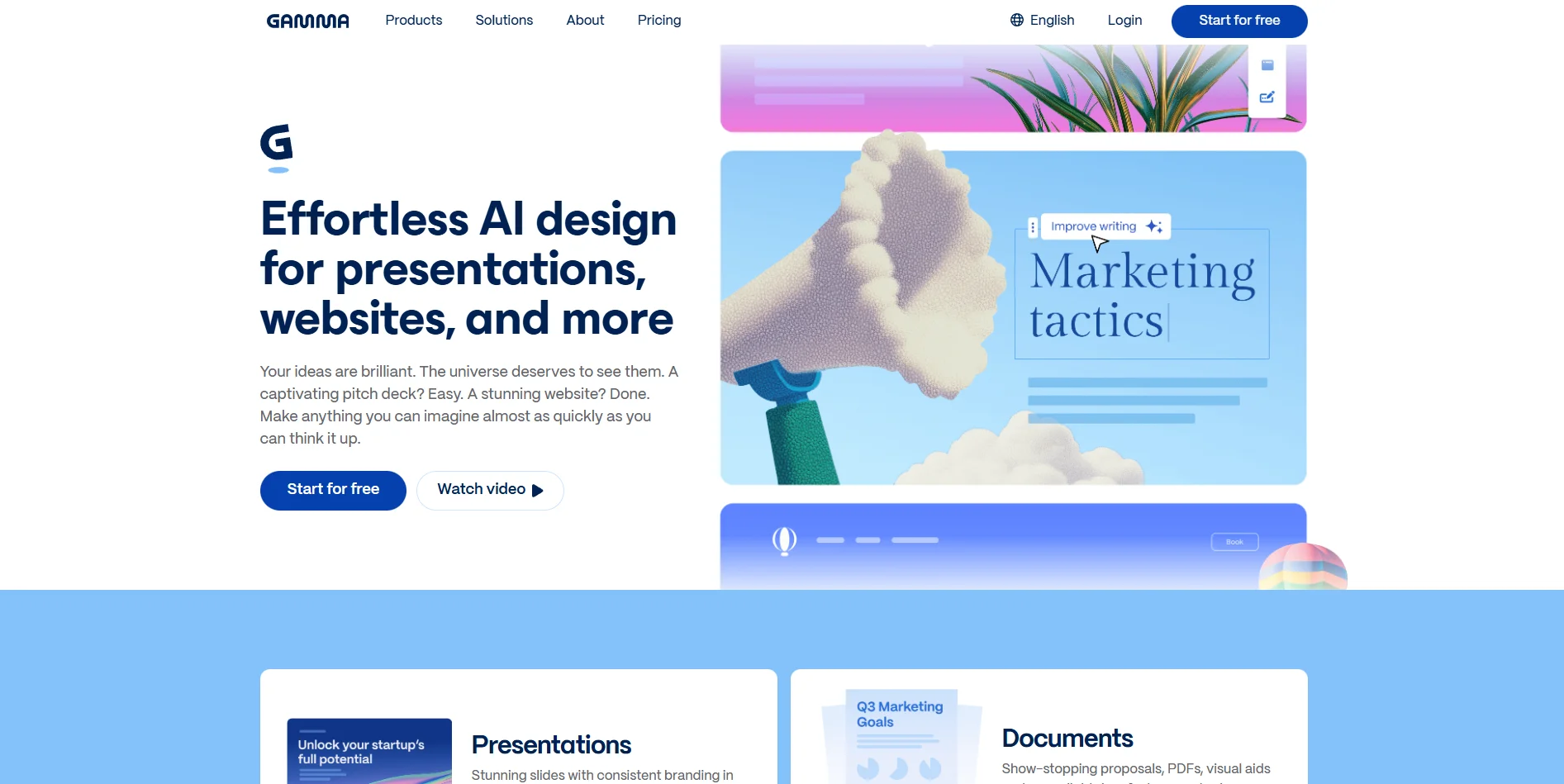
Gamma is an AI presentation, document, and web-page creator that turns plain text or existing files into polished, interactive decks in under a minute. It focuses on visual storytelling, using large language and image models to generate content structure, design, and on-brand layouts with minimal manual formatting. Aimed at knowledge workers, educators, marketers, founders, and sales teams, it replaces traditional slide tools with a card-based format that feels closer to editing a modern doc than wrestling with PowerPoint.
Gamma stands out as a web-native alternative to traditional presentation software, treating each deck as an interactive document rather than a static slide file. Its emphasis on natural-language prompting, one-click restyling, and real-time collaboration creates an unusually fast path from rough idea to client-ready artifact. At the same time, analytics, custom domains, and brand kits turn those decks into living assets that behave more like mini-sites than one-off decks.
Gamma delivers meaningful time savings for anyone who spends serious hours crafting decks or visual documents, without demanding design expertise. Its AI generator, real-time collaboration, and interactive, web-style output make it particularly suitable for teams that present often, iterate quickly, and care about analytics and branding. For users willing to adapt to a more modern presentation format and to edit AI drafts thoughtfully, Gamma offers a fast, polished alternative to traditional slide software.
Who is Using Gamma?
Startup founders
Creating investor pitch decks, product launch presentations, and quick landing pages for experiments.
Sales and marketing teams
Building tailored client decks, sales collateral, and campaign reports with consistent branding.
Educators and trainers
Preparing course content, workshops, and interactive lesson materials faster than manually crafting slides.
Consultants and agencies
Packaging research, proposals, and deliverables into shareable, analytics-enabled links instead of bulky attachments.
Uncommon Use Cases
Used by internal communications teams to publish lightweight intranet-style hubs; adopted by solo creators to spin long-form newsletters or essays into public microsites.
Key Features
Rating Breakdown
Pricing Plans
Free
Free
- Up to 10 cards per prompt, 400 credits at signup, basic presentations, documents, websites, social posts, images, imports from PDF and PPTX, and exports to PDF, PPTX, PNG, and Google Slides
Plus
$10 per seat per month
- Everything in Free plus up to 20 cards per prompt, 1,000 monthly credits, removal of Gamma branding, and access to advanced AI image models
Pro
$25 per seat per month
- Everything in Plus plus up to 60 cards per prompt, 4,000 monthly credits, premium AI image models, custom branding and fonts, detailed analytics and advanced sharing, publishing to up to 10 custom domains, API access, and workspace templates
Ultra
$100 per seat per month
- Everything in Pro plus up to 75 cards per prompt, 20,000 monthly credits, access to the most advanced AI models for text, image, and video, publishing to up to 100 custom domains, and early access to new features
Which Gamma plan should you pick?
Start with Free to test Gamma’s core creation features; choose Plus for more credits and no branding, Pro for API access and advanced customization, and Teams or Business for shared workspaces and enterprise controls.
Free
Good for trying Gamma and creating simple presentations, documents, websites, social posts, and images.
Plus
Good for individual users who need more AI credits, advanced image models, and removal of Gamma branding.
Pro
Good for power users who need API access, premium models, analytics, custom branding, and custom domains.
Ultra
Good for users needing substantially higher credit limits, the most advanced models, and early feature access.
Teams
Good for collaborative workspaces needing shared folders, custom company themes, centralized billing, and admin controls.
Business
Good for larger organizations needing SSO, advanced data controls, higher credits, and enterprise-oriented workspace management.
Gamma Use Cases
Create a presentation from a prompt
Enter a topic or instruction and Gamma generates a structured presentation with layouts, text, and visuals.
Outcome: A polished first draft without starting from a blank slide.
Convert documents into slides
Upload a PDF, Word document, PowerPoint file, or webpage and have Gamma transform the source into editable content.
Outcome: Existing material becomes a structured Gamma presentation.
Build a published website
Create or convert a Gamma document or deck into a single-page or multi-page website and publish it.
Outcome: A live site on a Gamma subdomain or custom domain.
Create sales and marketing materials
Generate pitch decks, sales proposals, campaign reports, launch materials, and performance presentations.
Outcome: On-brand materials for prospects, stakeholders, or customers.
Create educational content
Build lessons, syllabi, classroom activities, study guides, and training materials with AI-supported visuals.
Outcome: Structured instructional content ready to share or present.
Workflow Ideas with Gamma
Turn research into a presentation
- 1Upload PDFs, documents, slides, websites, or images in Create with Agent.
- 2Answer Agent’s questions and shape the outline.
- 3Generate, review, and edit the resulting Gamma.
Automate content production
- 1Connect Gamma to Zapier, Make, n8n, or a custom application.
- 2Trigger Gamma through an event or API request.
- 3Generate presentations, documents, webpages, or social posts programmatically.
Publish a Gamma website
- 1Create a new site or convert an existing Gamma.
- 2Choose a theme, add navigation, and edit the pages.
- 3Preview and publish to a gamma.site subdomain or custom domain.
How Gamma fits into your stack
Browser
Gamma is a browser-based workspace for creating, editing, presenting, and sharing presentations, documents, websites, and social posts.
Docs and writing
Users can generate or transform outlines, pasted text, PDFs, Word documents, presentations, webpages, and images into structured Gamma content.
Knowledge and files
Gamma Agent reads uploaded PDFs, documents, slide decks, websites, images, and existing gammas as source material for new content.
Automation and APIs
The Gamma API and MCP connect Gamma with Zapier, Make, n8n, ChatGPT, Claude, Glean, Superhuman, and Atlassian for programmatic or conversational generation.
Pros
- +Huge time savings: Cuts hours of slide building down to minutes, especially for first drafts, recurring reports, and pitch decks.
- +Design quality: Produces consistently clean, modern layouts even for users with no design background.
- +Strong collaboration story: Feels like a shared online document, which reduces version-control chaos compared with email-based slide sharing.
- +Flexible formats: Works for presentations, documents, landing-page–style sites, and social content, so teams do not need separate tools.
- +Scalable for serious teams: Advanced analytics, brand control, custom domains, and API support suit agencies and growth-stage companies.
Cons
- −Learning curve for the format: The card-based, web-style approach can feel unfamiliar to users tied to traditional slide metaphors.
- −AI output quality variance: Generated content can be generic or slightly off-target and often benefits from expert editing, especially for high-stakes material.
- −Exports lose some magic: Interactive features and web-native feel do not fully carry over to static exports like PDF or PowerPoint.
Limitations & when to consider alternatives
Known limitations
- Free-plan credits do not refresh. Free accounts receive limited credits; credits do not automatically refresh, although referrals can provide additional credits.
- Imported styling is not preserved. Gamma currently imports text from files and documents; original styling and layouts must be recreated manually or with AI.
- Mobile editing is limited. The mobile app does not provide manual editing, native settings, or offline mode; edits are performed through Agent.
- Gamma sites lack e-commerce and blogging. Gamma’s website feature currently does not support e-commerce or blogging functionality.
- Integrations cannot edit existing Gammas. Connectors and automation platforms support content creation, but existing Gamma editing must be done in the Gamma app.
Look elsewhere when
- You need offline access.
- You need e-commerce or blogging features.
- You need integrations to edit existing content programmatically.
- You need original document styling preserved during import.
How to Use Gamma
- 1
Choose a creation mode
From the Gamma dashboard, select Generate for a new draft, Paste for existing text, or Import for files, documents, or URLs.
- 2
Provide your source material
Enter a prompt, paste notes, or upload PDFs, Word files, slide decks, images, websites, or existing Gammas.
- 3
Select the format and style
Choose whether to create a presentation, document, webpage, or social post, then select a theme or Agent style.
- 4
Generate and review
Let Gamma create the initial content, then review the structure, text, layouts, images, and citations.
- 5
Edit with Agent
Use the slide-level or presentation-level Agent controls to rewrite content, adjust layouts, restyle visuals, or add slides.
- 6
Share, export, or publish
Share a link, collaborate with teammates, export to PDF, PowerPoint, Google Slides, or PNG, or publish as a website.
Who is Gamma For?
Educators
Gamma names university professors, online educators, K-12 teachers, and learning and development professionals as audiences.
Sales teams
Gamma supports pitch decks, sales proposals, investor presentations, and reusable sales materials.
Consultants
Consultants can create client decks, reports, proposals, and structured business content quickly.
Marketing teams
B2B marketing teams can create strategy decks, campaign reports, competitive analyses, and ROI visuals.
Founders
Gamma highlights founders creating investor pitches, business plans, and other company communications.
Frequently Asked Questions
Does Gamma have a free plan?
Yes. The Free Plan includes common AI creation features, basic image models, and limited slide generation. Free-plan AI credits do not refresh automatically.
Does Gamma offer an API?
Yes. The Gamma Generate API supports programmatic creation of presentations, documents, webpages, and social posts. API keys are available on Pro, Ultra, Teams, and Business plans.
Can Gamma import existing files?
Yes. Gamma can import PowerPoint, Word, Google Docs exports, PDFs, webpages, Google Drive content, and public Notion documents.
Does Gamma support team collaboration?
Yes. Team and Business workspaces provide real-time editing, shared folders, admin controls, centralized billing, and member invitations.
Does Gamma have a mobile app?
Yes. Native iOS and Android apps support viewing, generating, presenting, sharing, commenting, and Agent-based editing.
Can Gamma translate content?
Yes. Free and Plus users can translate one slide at a time, while Pro users can translate all slides simultaneously.
Community reviews
17 reviews from people who use Gamma.
Sign in to leave a review for Gamma.
Justin Christie
pauline milwood
Nurathirah Abd Nasir
rabbi siam
Grygjeanne Grace Icay
Tricia Baar
Bridget Greenwood
Ibrahim Ghadri
Abbey Cole
Domingo Lemus
Thibault BM
Luca Collina
薛良斌(hlb)
Melissae Elhajj
Sâmela de Carvalho Lima
Dawn Rennick
Shabaz Khan
Gamma Alternatives
Looking for alternatives to Gamma? Here are similar tools in the same category:
Learn to Master Gamma
With Skill Leap courses
Get in-depth training on Gamma and 50+ other AI tools with our expert-led video courses.
Start 7-Day Free Trial