
Deep Nostalgia
Animate historical photos with AI, bringing family memories alive.
Watch Deep Nostalgia in Action
Key Takeaways
- What it is
- Animate historical photos with AI, bringing family memories alive.
- Pricing
- Freemium
- Best for
- AI-Driven Animation
- User-Friendly Interface
- Privacy Protection
- Rating
- 4.3/5
What is Deep Nostalgia?
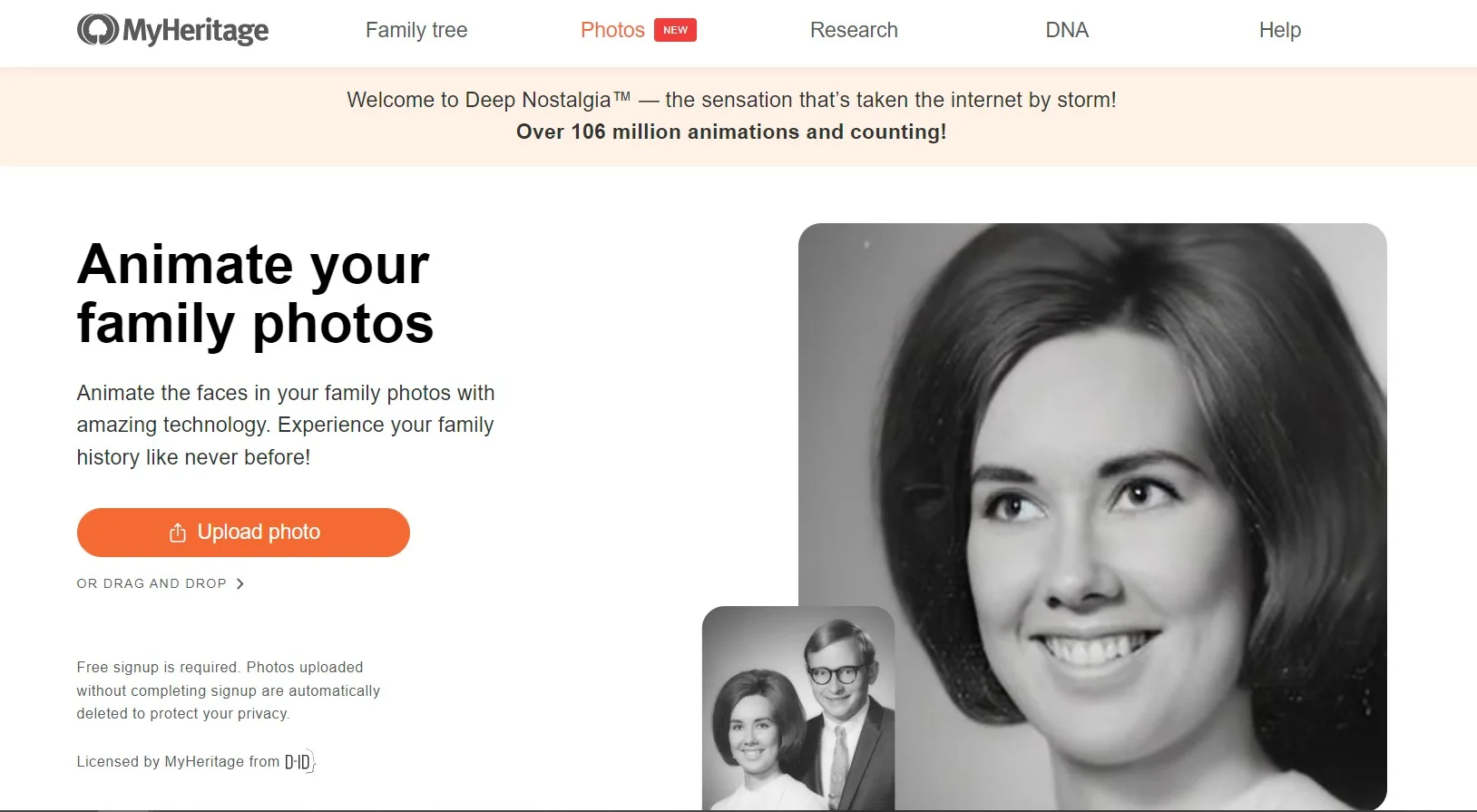
Deep Nostalgia is an innovative AI tool developed by MyHeritage that brings historical photos to life using advanced deep learning technology. This tool is designed to animate the faces in your family photos, offering a unique glimpse into the past. By transforming static images into dynamic ones, Deep Nostalgia allows users to experience their family history in an unprecedented way, adding a personal touch to genealogical research and photo archives.
Please note that pricing information may not be up to date. For the most accurate and current pricing details, refer to the official Deep Nostalgia website.
Deep Nostalgia stands out with its ability to animate historical photos, a game-changer for genealogical research and storytelling. Its unique application of deep learning technology to create lifelike animations from static images sets it apart, offering users a truly immersive experience in exploring their family history.
Deep Nostalgia offers a unique and emotional way to connect with the past by animating faces in old photos. This tool is particularly valuable for genealogists, historians, and anyone interested in breathing new life into their family history. While it may not be the most cost-efficient option for everyone, its innovative features and ease of use make it a compelling choice for those looking to enhance their photo archives with dynamic, animated memories.
Who is Using Deep Nostalgia?
Genealogists
Using the tool to enhance family history research by bringing ancestors to life through animated photos.
Historians
Employing the tool to add a new dimension to historical photo archives and exhibits.
Family Historians
Leveraging the tool to create more engaging and interactive family albums.
Social Media Enthusiasts
Using the tool to generate unique and shareable content for personal or professional platforms.
Uncommon Use Cases
Adopted by educators to teach history with animated visual aids; utilized by artists for creative projects inspired by historical imagery.
Key Features
Rating Breakdown
Pricing Plans
Free Tier
Free
- Experience Deep Nostalgia with a limited free trial
- Allowing users to animate a select number of photos
Which Deep Nostalgia plan should you pick?
Start with free registration and limited animations; upgrade to the Photo Subscription or Complete Plan for broader or unlimited photo-tool access.
Photo Subscription
Good for users who need unlimited access to Deep Nostalgia and MyHeritage’s other AI photo features.
Complete Plan
Good for users who want Deep Nostalgia bundled with family-tree, historical-record, DNA, and photo features.
Omni Plan
Good for users who need all Complete features plus expanded photo scanning and additional MyHeritage services.
Deep Nostalgia Use Cases
Animate an old family photograph
Upload a historical photo and select a detected face to create a short moving portrait.
Outcome: A simulated video of the person blinking, smiling, or moving their head.
Revive an ancestor’s portrait
Animate a black-and-white, color, colorized, or color-restored family photo.
Outcome: A more lifelike visual connection to an ancestor.
Create a shareable family keepsake
Download the generated animation as an MP4 or share it through supported sharing options.
Outcome: A short video suitable for sharing with relatives.
Animate faces in an existing MyHeritage album
Open My Photos, select an existing image, and choose which detected face to animate.
Outcome: An animation linked to the stored family photo.
Scan and animate physical photos
Use the MyHeritage mobile app’s scanner to digitize historical photos before animating them.
Outcome: Digitized family memories preserved and animated online.
Workflow Ideas with Deep Nostalgia
Create an animated ancestor portrait
- 1Upload a historical family photo
- 2Select the detected face to animate
- 3Download or share the resulting MP4
Prepare a family photo collection
- 1Scan physical photos using the MyHeritage mobile app
- 2Open the photos in My Photos
- 3Animate detected faces one at a time
Improve animation quality
- 1Use a higher-resolution photo or enhance it automatically
- 2Select the best detected face
- 3Try another available animation sequence if needed
How Deep Nostalgia fits into your stack
Browser
Deep Nostalgia is used through the MyHeritage website: users upload a photo, select a detected face, and generate a short animation.
Mobile app
The feature is available inside the MyHeritage mobile app, where users can upload or scan photos, animate faces, and save or share the result.
Pros
- +Emotional Impact: Brings historical family photos to life, creating a powerful emotional connection for users.
- +Enhances Storytelling: Helps users tell more engaging family stories by adding a dynamic element to visual narratives.
- +Easy to Use: Requires minimal technical knowledge to operate, making it accessible to a wide audience.
- +Free Trial Available: Offers a free trial for users to experience the tool before committing to a subscription.
Cons
- −Limited to Facial Animation: Focuses solely on animating faces, which may not appeal to users seeking broader animation capabilities.
- −Subscription Requirement: Requires a subscription for full access, which may not suit all budgets.
- −Potential for Over-Animation: Some users may find the animations overly exaggerated or unnatural.
Limitations & when to consider alternatives
Known limitations
- Only detected faces can be animated. Faces missed by the detection algorithm cannot be selected for animation.
- Multiple faces require separate animations. All detected faces can be animated, but not simultaneously in one Deep Nostalgia animation.
- Results are simulations. The videos are not authentic recordings of how the person actually moved.
- Animation takes processing time. Animating one face typically takes between 10 and 20 seconds.
- Free use is limited. Non-paying users can create several animations for free; more use requires a subscription.
Look elsewhere when
- You need speech-enabled or talking-avatar animation.
- You need simultaneous animation of multiple people in one result.
- You need an installable desktop application.
- You need multilingual spoken output.
How to Use Deep Nostalgia
- 1
Open Deep Nostalgia
Visit the Deep Nostalgia page or open the Photos section in the MyHeritage mobile app.
- 2
Upload a photo
Choose a photo from your computer or drag and drop it into the upload frame.
- 3
Create a free account
Sign up or log in when prompted; registration is free.
- 4
Select a face
Choose one detected face, especially when the image contains multiple people.
- 5
Review the animation
Wait for processing, then play the generated video and try another animation sequence where available.
- 6
Save or share
Download the animation as an MP4 or share it with friends and family.
Who is Deep Nostalgia For?
Genealogy researchers
Use historical family photos and MyHeritage records to connect with ancestors and family history.
Family historians
Bring still photographs of ancestors and relatives to life as short animations.
Families and relatives
Share animated family memories with friends and family through links or downloaded videos.
MyHeritage mobile users
Animate uploaded or scanned family photos directly from the MyHeritage mobile app.
Frequently Asked Questions
What is Deep Nostalgia?
Deep Nostalgia animates faces in still family photos, making them blink, smile, and move their heads.
How do I use Deep Nostalgia?
Upload a photo, select one detected face, and wait for the short animation to be generated.
Can I animate photos already stored on MyHeritage?
Yes. Open My Photos, select a photo, and choose the Animate button.
Can I animate multiple faces?
Detected faces can all be animated, but each face requires a separate animation.
Can I download or share animations?
Animations can be shared or downloaded as MP4 files.
Are the animations authentic recordings?
No. They are technological simulations generated from pre-recorded driver videos.
Community reviews
Be the first to share your experience.
Sign in to leave a review for Deep Nostalgia.
Deep Nostalgia Alternatives
Looking for alternatives to Deep Nostalgia? Here are similar tools in the same category:
Learn to Master Deep Nostalgia
With Skill Leap courses
Get in-depth training on Deep Nostalgia and 50+ other AI tools with our expert-led video courses.
Start 7-Day Free Trial