
Coursebox
Turn documents into branded, interactive courses in hours.
Watch Coursebox in Action
Key Takeaways
- What it is
- Turn documents into branded, interactive courses in hours.
- Pricing
- Freemium · $30 per month · $70 per month · $150 · $700 per month
- Best for
- AI Course Builder and Document‑to‑Course
- AI Assessments, Grading and Microlearning
- AI Media and Tutor
- Rating
- 4.5/5
What is Coursebox?
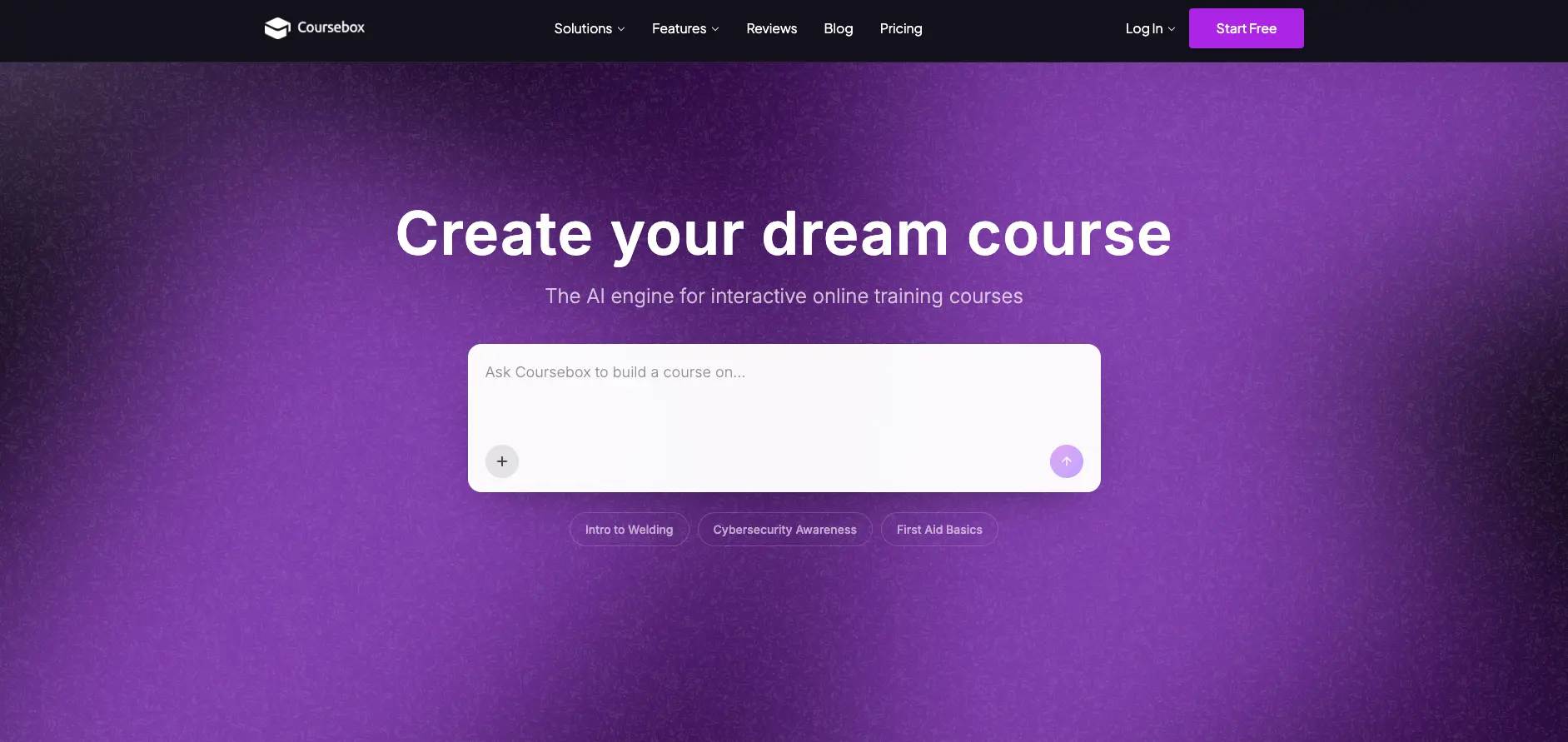
Coursebox focuses on fast creation and delivery of interactive online training. It combines an AI course builder with a white‑label learning management system, helping trainers, L&D teams and solo experts turn prompts, documents and slide decks into structured courses with quizzes, videos, certificates and analytics. Courses can be delivered inside Coursebox’s own LMS or exported to existing platforms, with unlimited learners supported on all plans.
Coursebox stands out by pairing a genuinely capable AI authoring engine with a fully fledged, white‑label LMS and unlimited learners on every plan. Rather than stopping at outlines or quiz suggestions, it pushes AI into grading, rubrics, tutor chat, flashcards and training video generation, all inside one workflow. The prompt‑upload‑chat‑visualize process makes it especially attractive for teams that have piles of existing documents and slides and need to turn them into structured, trackable learning without months of manual instructional design.
For organizations and creators who live in the world of training, Coursebox offers a practical blend of AI assistance and LMS control. It suits teams that want to keep ownership of their brand, avoid per‑seat pricing and still benefit from modern AI capabilities across authoring, assessment and tutoring. While serious scale or advanced governance features will push buyers toward the higher tiers, even the lower plans provide a strong starting point for turning static content into interactive online courses at notably higher speed and lower production effort.
Who is Using Coursebox?
Training Providers and L&D Teams
Building onboarding, compliance and skills programs without hiring specialist eLearning developers.
Accredited Training Organizations
Producing standards‑aligned units with AI‑assisted rubrics, grading and certificates that support audit requirements.
Corporate HR and Sales Enablement
Delivering product, sales and soft‑skills training to large, distributed workforces while tracking completion and assessment data.
Colleges and Universities
Supporting instructors who need rapid online or blended courses, microcredentials and short professional programs.
Solo Creators and Consultants
Packaging expertise into paid courses with integrated payments, landing pages and analytics.
Uncommon Use Cases
Adopted by healthcare providers for patient and clinician education; used by nonprofits to standardize volunteer and board member onboarding.
Key Features
Rating Breakdown
Pricing Plans
Free
Free
- 3 mini courses, Coursebox watermarks, and limited AI credits
Creator
$30 per month
- Unlimited courses and learners, everything in Free, AI video, quizzes, diagrams, flashcards, images, tutor and grading, more AI credits, document-to-course conversion, watermark removal, certificates, course downloads, reporting, and analytics
Creator Add-on
$70 per month
- Optional add-on for 10x AI credits
Pro
$150
- The first month
- Then $300 per month
- Everything in Creator, fully branded platform, custom domain connection, more AI credits, gamification, pathways, unlimited courses, and optional branded mobile app
Business
$700 per month
- Everything in Pro, 10 admin licenses, very high AI credits, resource library, unlimited courses, and API access
Enterprise
- Everything in Business, 50 admin licenses, maximum AI credits, SSO, bespoke customizations, migration service, custom hosting location, and advanced learner analytics
Which Coursebox plan should you pick?
Start with Free to test course creation, upgrade to Creator for document conversion and exports, choose Pro or Business for branding and collaboration, and use Enterprise for SSO, contracts, fine-tuning, and custom deployment.
Free
Good for testing Coursebox with a small number of mini courses and limited AI credits.
Creator
Good for small businesses and creators who need unlimited courses, document conversion, exports, certificates, and reporting.
Plus
Good for higher-volume creators who need more AI credits without a fully branded platform.
Pro
Good for solo creators who need a fully branded platform, custom domain, gamification, and optional mobile apps.
Business
Good for organisations and teams that need multiple admin licenses, API access, and shared course administration.
Enterprise
Good for large organisations, universities, and government teams needing contracts, SSO, fine-tuning, custom hosting, migration, and security reviews.
Coursebox Use Cases
Employee onboarding
Upload employee handbooks and related materials to generate structured onboarding lessons, quizzes, and activities.
Outcome: A ready-to-review onboarding course.
Compliance training
Turn policies, procedures, and regulatory documents into courses with assessments and completion tracking.
Outcome: Trackable compliance learning.
Health and safety training
Create scenario-based training, quizzes, videos, and learner activities for workplace safety topics.
Outcome: Interactive safety training that can be delivered online or exported.
Selling online courses
Create courses, set prices, accept payments through supported payment tools, and deliver content from branded pages.
Outcome: A course-selling and delivery workflow.
LMS deployment
Export courses as SCORM or connect them to other LMS platforms through LTI 1.3.
Outcome: Course delivery through an existing LMS.
Workflow Ideas with Coursebox
Document to published course
- 1Upload a PDF, Word document, PowerPoint file, or text source
- 2Review and edit the AI-generated outline and course content
- 3Publish, sell, share, or export the course
Automated learner operations
- 1Connect Coursebox to Zapier or the Open API
- 2Trigger enrolment, CRM, email, reporting, or scheduling actions
- 3Automate certification and completion workflows
Existing LMS delivery
- 1Create and review the course in Coursebox
- 2Export it as SCORM or connect through LTI 1.3
- 3Deliver and track learning in the connected LMS
How Coursebox fits into your stack
Browser
Coursebox is accessed through my.coursebox.ai or a branded portal URL, where teams create, edit, publish, and manage courses.
Docs and writing
The course editor turns uploaded PDFs, Word files, PowerPoint presentations, text, YouTube links, and web URLs into structured training content.
Knowledge and files
Coursebox provides resource libraries for organizing and sharing PDFs, slides, videos, and other learning materials in folders.
Automation and APIs
Teams can connect Coursebox to CRM, HR, ERP, LMS, payment, and marketing systems through its API, Zapier automation, LTI, SCORM, and website embeds.
Pros
- +Fast course production: Generative AI dramatically reduces time from idea or document to a publishable course with assessments and media.
- +End‑to‑end workflow: Covers authoring, video, quizzes, tutoring, grading and LMS delivery in one tool, which is rare for AI course creators.
- +Unlimited learners on every plan: Flat pricing without per‑seat fees makes it attractive for growing organizations and high‑volume training.
- +Serious branding options: White‑label LMS, custom domains, certificates and optional branded mobile apps help organizations present a fully owned learning environment.
- +Good interoperability: SCORM, LTI, API and Zapier support mean courses are not locked into a single ecosystem.
Cons
- −AI credit limits on lower tiers: Free and entry plans include relatively small AI credit pools, so heavy media or tutor usage may require upgrading.
- −Pricing details less obvious for higher tiers: Business and Enterprise costs require a conversation with sales, which can slow procurement.
- −Most advanced controls at the top end: Features like custom hosting regions, advanced analytics and SSO are reserved for higher plans and add‑ons.
Limitations & when to consider alternatives
Known limitations
- Free plan course limits. The Free plan limits users to three mini courses, with course and AI usage restrictions.
- Source-file size limit. Uploaded source documents are limited to 50MB per file.
- Free plan upload restrictions. The Free plan does not support direct video uploads and does not include document-to-course conversion.
- No in-platform video editing. Coursebox supports video uploads and AI video creation, but editing such as trimming or caption changes must be done externally.
- Enterprise-only fine-tuning. Fine-tuning support is documented as an Enterprise feature rather than a standard self-serve capability.
Look elsewhere when
- You need a dedicated desktop application.
- You need programming-code generation.
How to Use Coursebox
- 1
Start with a source
Describe the topic or upload supported documents such as PDFs, Word files, PowerPoint presentations, or text files to provide the course material.
- 2
Review the generated course
Inspect the outline and draft content, then edit lessons, quizzes, images, videos, and activities before publishing.
- 3
Add AI learning features
Use AI quizzes, scenarios, videos, images, flashcards, tutoring, and grading to make the course interactive.
- 4
Invite collaborators
Add facilitators or collaborators by email or through the user-management controls so other people can view and edit courses.
- 5
Publish or sell
Share the course directly, sell it through supported payment integrations, embed it on a website, or deliver it through a branded LMS.
- 6
Export and integrate
Use SCORM, LTI, iframe embeds, Zapier, or the Open API to connect Coursebox with existing learning and business systems.
Who is Coursebox For?
Solo creators
The Pro plan provides a fully branded learning platform for solo creators who need custom branding and a single admin.
Small businesses
The Creator plan is positioned for small businesses creating or selling courses.
Corporate training teams
Coursebox converts employee documents into onboarding, compliance, health-and-safety, and other internal training.
Universities
Coursebox provides course creation, LMS delivery, learner analytics, exports, and enterprise deployment options for universities.
Government and large organisations
Enterprise provides contracts, security reviews, SSO, custom hosting, migration, and larger-scale administration.
Frequently Asked Questions
Is Coursebox free?
Coursebox offers a free plan with no credit card required. The Free plan supports three mini courses with usage limits.
Can Coursebox create courses from documents?
Yes. Users can upload PDFs, Word documents, PowerPoint files, and plain text, then generate a structured course with lessons and assessments.
Can Coursebox work with an existing LMS?
Yes. Courses can be exported as SCORM, connected through LTI 1.3, or embedded using an iframe.
Does Coursebox support integrations?
Coursebox supports native integrations, Zapier automation, website embeds, LTI, SCORM, and an open API.
Does Coursebox support multiple languages?
Yes. Coursebox supports AI tutoring and video generation in more than 100 languages.
Does Coursebox offer mobile apps?
Coursebox LMS is available for iOS and Android for eligible LMS, Business, and Enterprise accounts. Branded mobile apps are also available as an add-on.
Community reviews
2 reviews from people who use Coursebox.
Sign in to leave a review for Coursebox.
Thibault BM
Hey Automagic
Coursebox Alternatives
Looking for alternatives to Coursebox? Here are similar tools in the same category:
Learn to Master Coursebox
With Skill Leap courses
Get in-depth training on Coursebox and 50+ other AI tools with our expert-led video courses.
Start 7-Day Free Trial