
Copy.ai
AI-driven tool for effortless, high-quality content generation.
Watch Copy.ai in Action
Key Takeaways
- What it is
- AI-driven tool for effortless, high-quality content generation.
- Pricing
- Freemium · $49 per month
- Best for
- AI-Powered Content Generation
- User-Friendly Interface
- Wide Range of Templates
- Rating
- 4.4/5
What is Copy.ai?
Copy.ai revolutionizes content creation, offering AI-powered solutions that streamline writing tasks for individuals and businesses. Designed for marketers, writers, and entrepreneurs, it simplifies content generation by using advanced language models to produce engaging copy effortlessly. From crafting compelling marketing campaigns to generating SEO-friendly blog posts, Copy.ai provides a comprehensive suite of tools to enhance productivity while maintaining high-quality outputs.
Copy.ai stands out with its ability to generate diverse content across multiple formats swiftly, making it a game-changer for content creators. Its unique selling point lies in the customizable AI that adapts to different brand voices, ensuring consistency and authenticity in all outputs.
Copy.ai offers a robust platform for anyone looking to enhance their content creation process. Its AI-driven capabilities not only boost efficiency but also maintain high-quality outputs, making it a valuable asset for businesses and individuals alike. With its user-friendly interface and wide range of applications, Copy.ai is a versatile tool that caters to various content needs, from marketing campaigns to everyday writing tasks. Whether you're a seasoned marketer or a freelance writer, Copy.ai provides the tools necessary to elevate your content strategy and achieve your goals.
Who is Using Copy.ai?
E-commerce Businesses
Utilizing the tool for crafting product descriptions and marketing content.
Digital Marketing Agencies
Employing the tool for creating visually appealing campaign content.
Social Media Managers
Leveraging the tool to create engaging posts and ad copy for social media platforms.
Freelance Writers
Using the tool to enhance productivity and generate diverse content quickly.
Uncommon Use Cases
Adopted by educational institutions for teaching content creation skills; used by real estate agents to craft property listings.
Key Features
Rating Breakdown
Pricing Plans
Free Tier
Free
- Experience Copy.ai with a 7-day free trial
Pro Tier
$49 per month
Which Copy.ai plan should you pick?
Start with the free plan to test Chat and basic content creation, move to Chat for ongoing small-team use, and upgrade to Growth, Expansion, Scale, or Enterprise for higher Workflow volume, seats, integrations, API access, and enterprise controls.
Chat
Good for small teams who need unlimited Chat words, unlimited Chat Projects, and access to OpenAI, Anthropic, and Gemini models.
Growth
Good for businesses who need 75 seats and 20,000 Workflow credits per month.
Expansion
Good for enterprises who need 150 seats and 45,000 Workflow credits per month.
Scale
Good for organizations who need 200 seats and 75,000 Workflow credits per month.
Enterprise
Good for organizations who need API access, bulk Workflow runs, 20 or more technology integrations, unlimited customizable Workflows, security controls, and guided implementation.
Copy.ai Use Cases
Content creation
Generate SEO content, thought-leadership assets, social posts, product descriptions, and other marketing materials.
Outcome: Increase content output while reducing production bottlenecks.
Prospecting cockpit
Research accounts and contacts and draft personalized sales outreach.
Outcome: Create more relevant sales touchpoints and support pipeline generation.
Inbound lead processing
Automatically enrich, research, and engage marketing-generated leads.
Outcome: Reduce speed-to-lead and improve conversion opportunities.
CRM enrichment
Connect Copy.ai with Salesforce or HubSpot to enrich records and trigger workflows from CRM changes.
Outcome: Keep CRM data more accurate, current, and actionable.
Translation and localization
Produce translations and localized content for go-to-market campaigns.
Outcome: Deliver localized content in real time at lower cost than traditional translation workflows.
Workflow Ideas with Copy.ai
Automated lead enrichment
- 1Receive a new lead from Salesforce or HubSpot
- 2Research and enrich the lead with Copy.ai actions
- 3Write the results back to the CRM and notify the team
SEO brief to published draft
- 1Retrieve an SEO brief from Notion or another connected source
- 2Generate and refine the article using Copy.ai actions
- 3Create a Google Doc or send the draft to a CMS
Workflow output review
- 1Run a content or research Workflow
- 2Create a Google Doc or OneDrive document from the output
- 3Send a Slack notification when the draft is ready for review
How Copy.ai fits into your stack
Browser
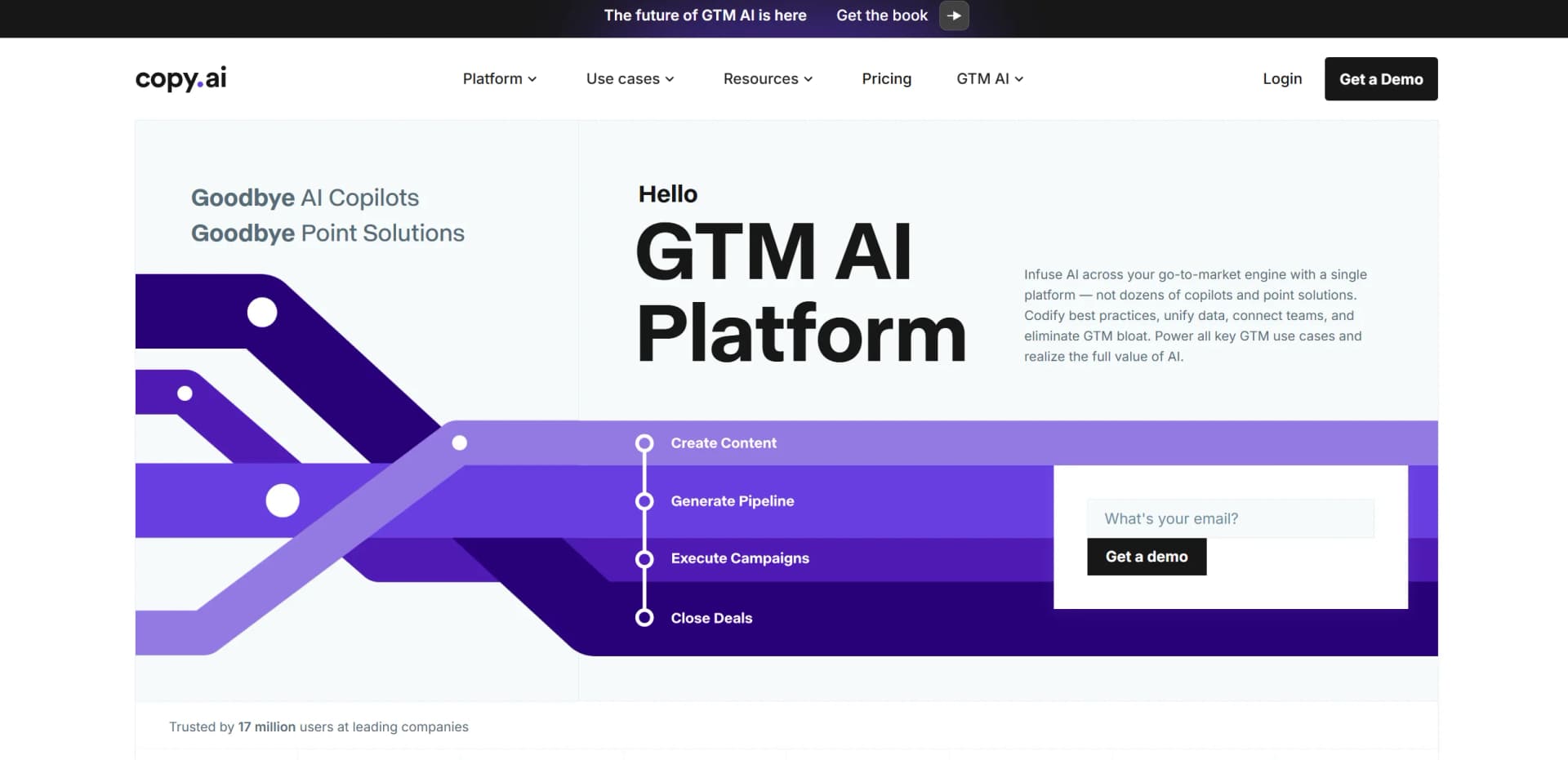
Copy.ai is used as a web-based GTM AI platform through its Chat, Workflows, Actions, Agents, Tables, and Infobase surfaces.
Docs and writing
The platform generates and rewrites business content, including blog posts, emails, social posts, product descriptions, and other GTM assets.
Automation and APIs
Users build multi-step Workflows, trigger them from events, connect them to business systems, and access them through Copy.ai's API or Zapier.
Knowledge and files
Infobase stores brand guidelines, positioning documents, company data, and other contextual information that users can reference during generation.
Team chat and tickets
Copy.ai supports team collaboration and connects workflows with systems such as Slack, Gmail, Salesforce, and Google Calendar.
Pros
- +Time Efficiency: Drastically reduces the time required to create content, enabling faster project completion.
- +Cost-Effective: Eliminates the need for hiring additional writers, saving operational costs.
- +Versatile Application: Suitable for a wide array of writing tasks, from marketing to creative writing.
- +Consistent Quality: Ensures high-quality output with minimal errors, maintaining professional standards.
Cons
- −Initial Learning Curve: Users may need time to familiarize themselves with all features and functionalities.
- −Limited Integration: Currently offers limited integration with other third-party platforms.
- −Dependency on AI: Over-reliance on AI may limit creative input from users.
Limitations & when to consider alternatives
Known limitations
- Workflow usage is credit-based. Workflow runs consume credits according to the complexity of the tasks and generated outputs.
- Runs can fail when credits are exhausted. New Workflow runs fail when the account or workspace reaches its credit limit.
- API access is positioned for enterprise use. The current pricing page lists API access and bulk Workflow runs under Enterprise.
- The free plan has limited capacity. The free offering provides 2,000 words per month rather than unlimited usage.
- No documented native desktop or mobile application. Available documentation describes Copy.ai as a web app, and no official native desktop or mobile download was identified.
Look elsewhere when
- You need a native mobile app
- You need a downloadable desktop application
- Your primary requirement is image analysis
- Your primary requirement is code generation
How to Use Copy.ai
- 1
Choose Chat or Workflows
Use Chat for one-off prompts and tasks, or select Workflows when you need a repeatable multi-step process.
- 2
Add business context
Use Infobase to upload reference documents and centralize information that should inform generated content.
- 3
Define the brand voice
Configure Brand Voice so generated content follows the organization's preferred tone and style.
- 4
Build or customize the process
Chain Actions such as text generation, research, web scraping, and data extraction into a reusable Workflow.
- 5
Connect external systems
Add integrations such as Salesforce, HubSpot, Slack, Google Docs, Notion, Microsoft Teams, or Zapier.
- 6
Run, review, and automate
Run the Workflow manually or trigger it from events, then review outputs and deliver them to connected systems.
Who is Copy.ai For?
Marketing teams
Copy.ai supports SEO content, thought leadership, social content, advertising, account-based marketing, and translation workflows.
Sales teams
Sales teams can use prospecting, personalized outreach, account research, inbound lead processing, and deal-coaching workflows.
Operations teams
Operations teams can connect Copy.ai to CRM, productivity, automation, and other go-to-market systems.
Sales development teams
Sales development teams can research accounts and contacts and create personalized outbound touchpoints.
Enterprise organizations
Enterprise customers receive guided implementation, API access, integrations, security controls, and designated support.
Frequently Asked Questions
What are Workflows?
A Workflow is a set of AI-powered actions stitched together to codify a process or best practice, such as creating an account plan or writing an SEO article.
What are Workflow credits?
A credit represents the computational power needed to execute tasks within a Workflow, including content generation, research, and website scanning.
How much does a Workflow run cost?
Cost depends on the Workflow's complexity, including the number of steps and the amount of content generated.
Can I add credits later?
Copy.ai supports flexible usage-based pricing, allowing customers to add credits as their use cases expand.
Can I change my plan later?
Self-serve users can upgrade or downgrade at any time; upgrades are prorated and downgrades are credited on the next bill.
What languages does Copy.ai support?
Copy.ai supports content creation in 25 or more human languages, including English, French, Spanish, German, Italian, Japanese, Chinese, and Dutch.
Community reviews
Be the first to share your experience.
Sign in to leave a review for Copy.ai.
Copy.ai Alternatives
Looking for alternatives to Copy.ai? Here are similar tools in the same category:
Learn to Master Copy.ai
With Skill Leap courses
Get in-depth training on Copy.ai and 50+ other AI tools with our expert-led video courses.
Start 7-Day Free Trial