
Collov AI
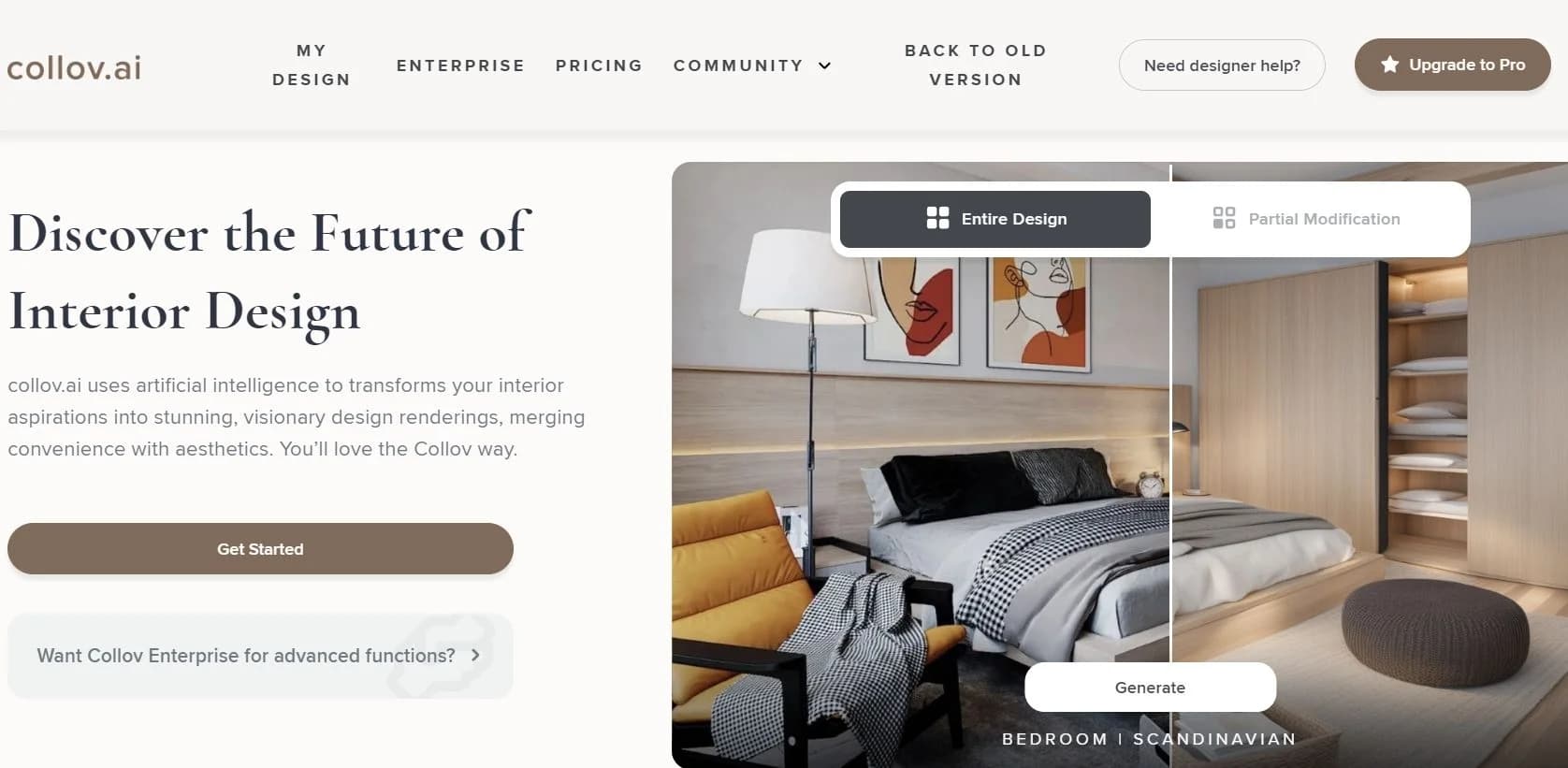
Transform photos into stunning, realistic design visuals effortlessly.
Key Takeaways
- What it is
- Transform photos into stunning, realistic design visuals effortlessly.
- Pricing
- $50 per month
- Best for
- Visual Transformation
- AI-Powered Staging
- Custom Design Inspirations
- Rating
- 4.4/5
What is Collov AI?
As an avid explorer of AI tools aimed at enhancing productivity and creativity, I'm always on the hunt for groundbreaking technologies. That's how I stumbled upon Collov AI, a dynamic AI-powered platform specifically tailored for the design and real estate sectors. This tool is not just another AI application; it's a comprehensive solution designed to transform photos into captivating visual experiences and boost engagement through stunning AI-driven visualizations.
Collov AI stands out with its ability to quickly transform simple photographs into detailed, high-quality visual experiences. This capability is particularly revolutionary in the real estate and interior design industries, where visual appeal can directly influence client decisions and sales outcomes.
Collov AI excels in transforming standard design and real estate visuals into extraordinary, highly engaging experiences. Its standout feature, the AI-powered visual transformation, offers an unmatched advantage in visual marketing and client engagement. For professionals in design and real estate, Collov AI is not just a tool but a game-changer, enhancing both creativity and productivity.
Who is Using Collov AI?
Real Estate Agents
Leveraging the tool to enhance online property listings.
Interior Designers
Utilizing the platform to generate creative designs and presentations.
Furniture Retailers
Using the tool to showcase products in various stylistic settings.
Homeowners
Engaging in personal home redesign projects.
Uncommon Use Cases
Event planners use it for visualizing event setups; photographers for creating virtual portfolios.
Key Features
Rating Breakdown
Pricing Plans
Free Trial
- Get started with a no-cost trial to explore basic features
Professional Plan
$50 per month
- Additional functionalities and support
Which Collov AI plan should you pick?
Start with Standard for occasional staging, move to Advanced for editing tools, Premium for teams and tours, and Enterprise for API-based integrations.
Standard
Good for agents who need fast staging for a few listings and want 60 monthly photo credits.
Advanced
Good for top producers who need AI Chat Edit and broader photo-editing capabilities with 150 monthly credits.
Premium
Good for teams and brokerages needing higher-volume staging, virtual tours, 360 panoramas, and 3D tours.
Enterprise
Good for companies needing 526 monthly credits, API access, custom solutions, and dedicated customer support.
Collov AI Use Cases
Virtual staging
Upload an empty or furnished room photo and add realistic furniture and decor.
Outcome: Create listing-ready staged images.
Photo enhancement
Improve lighting, sharpness, color, and overall property-photo quality.
Outcome: Produce more polished marketing visuals.
Furniture removal and decluttering
Remove selected furniture or clear an entire room while preserving architectural features.
Outcome: Show the underlying space more clearly.
Exterior photo transformation
Apply twilight, weather, seasonal, lawn, and pool-water changes to property images.
Outcome: Improve curb appeal and presentation.
Floorplan visualization
Upload a JPEG, PNG, or PDF floorplan for AI-generated 3D visualization.
Outcome: Give buyers an interactive view of the property layout.
Workflow Ideas with Collov AI
API-based virtual staging
- 1Send an image URL with room type and design style
- 2Poll the result endpoint using the returned task identifier
- 3Retrieve the final staged image URL
Room clearing and restaging
- 1Submit the original image to the room-clearing endpoint
- 2Poll until the empty-room result is available
- 3Pass the cleared-room URL into the staging endpoint
MLS listing visualization
- 1Connect Collov through an MLS dashboard integration
- 2Stage listing photos directly from the MLS workflow
- 3Publish the resulting visuals with the required staging disclosure
How Collov AI fits into your stack
Web-Based Platform
Easily accessible from any standard web browser.
Mobile Responsiveness
Optimized for use on mobile devices, enhancing accessibility.
Cloud Storage Integration
Supports seamless integration with popular cloud storage services.
API for Custom Integration
Offers an API for developers to create bespoke integrations.
Pros
- +Enhanced Visual Sales Tools: Drastically improves the visual appeal of listings and designs, potentially increasing sales conversions.
- +Time-Saving: Reduces the time required to stage properties or create design mockups manually.
- +High Customizability: Allows users to tailor visual outputs to meet specific tastes and requirements.
- +User-Friendly: Even those with minimal technical skills can easily navigate and utilize the tool effectively.
Cons
- −Learning Curve: New users may need some time to fully grasp all functionalities.
- −Integration Limitations: Currently offers limited integration with other business tools and platforms.
- −Resource Intensity: May require significant system resources for optimal performance, especially on less powerful devices.
Limitations & when to consider alternatives
Known limitations
- API rate limit. The API documentation specifies a limit of 10 requests per second.
- API concurrency limit. Only two active API tasks are supported concurrently per account.
- Public image URLs required. API image inputs must use publicly accessible or presigned URLs.
- Enterprise API access. The pricing page lists API access under the Enterprise plan.
- Free usage is limited. Free trials are watermarked and paid plans use monthly photo-credit allocations.
Look elsewhere when
- You need a native iOS or Android app for this exact tool.
- You need a dedicated desktop installer.
- You need SSO or SAML-based enterprise login.
- You need customer-specific model fine-tuning.
How to Use Collov AI
- 1
Explore the extensive range of tutorials available on the Collov AI website, covering everything from basic operations to advanced features.
Who is Collov AI For?
Real estate agents
Create staged listing images to help win listings and close sales faster.
Interior designers
Turn design ideas into visual concepts without costly photoshoots or 3D modeling.
Homeowners
Visualize renovation and furnishing ideas before committing to design choices.
Teams and brokerages
Use higher-volume plans for AI-powered staging and property marketing at scale.
Companies
Use Enterprise features for custom solutions, integrations, API access, and dedicated support.
Frequently Asked Questions
What does Collov AI offer?
Collov offers AI virtual staging, photo editing, virtual tours, 360 panoramas, 3D tours, and related property-visualization tools.
How does Collov AI work?
Upload a room image, select a style and room type, then receive a photorealistic staged result.
How quickly does Collov AI generate results?
The pricing page advertises a 10-second turnaround for Standard-plan virtual staging.
Does Collov AI offer an API?
Yes. Enterprise API documentation includes authenticated endpoints for staging, room clearing, editing, enhancement, and result retrieval.
Can users cancel their subscription?
The pricing page states that plans can be canceled anytime.
Does Collov AI work on all devices?
Collov presents the product as browser-based and does not document a dedicated desktop application.
Community reviews
1 review from people who use Collov AI.
Sign in to leave a review for Collov AI.
Thomas Gaming
Collov AI Alternatives
Looking for alternatives to Collov AI? Here are similar tools in the same category:
Learn to Master Collov AI
With Skill Leap courses
Get in-depth training on Collov AI and 50+ other AI tools with our expert-led video courses.
Start 7-Day Free Trial