
CodeGeeX
Streamlines coding with AI-driven completion and debugging.
Key Takeaways
- What it is
- Streamlines coding with AI-driven completion and debugging.
- Pricing
- Freemium
- Best for
- AI-Driven Code Completion
- Multilingual Support
- Intelligent Debugging
- Rating
- 4.6/5
What is CodeGeeX?
CodeGeeX is an advanced AI-powered tool designed to revolutionize the way developers approach coding. By leveraging cutting-edge AI algorithms, it offers a suite of features that streamline the coding process, making it an invaluable resource for developers seeking efficiency and precision. Tailored for both individual developers and large software teams, CodeGeeX simplifies complex coding tasks and enhances productivity through intelligent code generation and suggestions.
CodeGeeX stands out with its AI-driven code completion feature, a game-changer for developers seeking to optimize their coding efficiency. Its ability to seamlessly integrate with various IDEs and support multiple programming languages sets it apart, providing a comprehensive solution for diverse coding needs.
CodeGeeX emerges as a formidable ally for developers, offering a blend of advanced AI features that enhance coding efficiency and precision. Whether you're an individual developer or part of a larger team, this tool provides the versatility and reliability needed to tackle diverse coding challenges. With its user-friendly design and robust functionality, CodeGeeX is well-positioned to transform your coding experience, making it a worthy investment for anyone serious about software development.
Who is Using CodeGeeX?
Software Development Teams
Employing CodeGeeX for efficient code generation and collaboration.
Freelance Developers
Leveraging the tool for quick and accurate code completion on various projects.
Educational Institutions
Integrating CodeGeeX into coding curriculums to enhance student learning experiences.
Tech Startups
Utilizing the tool to accelerate development cycles and reduce time-to-market.
Uncommon Use Cases
Adopted by data scientists for automating script generation; used by tech bloggers for generating code snippets in tutorials.
Key Features
Rating Breakdown
Pricing Plans
Free Tier
Free
- Explore CodeGeeX with for free at no cost
CodeGeeX Use Cases
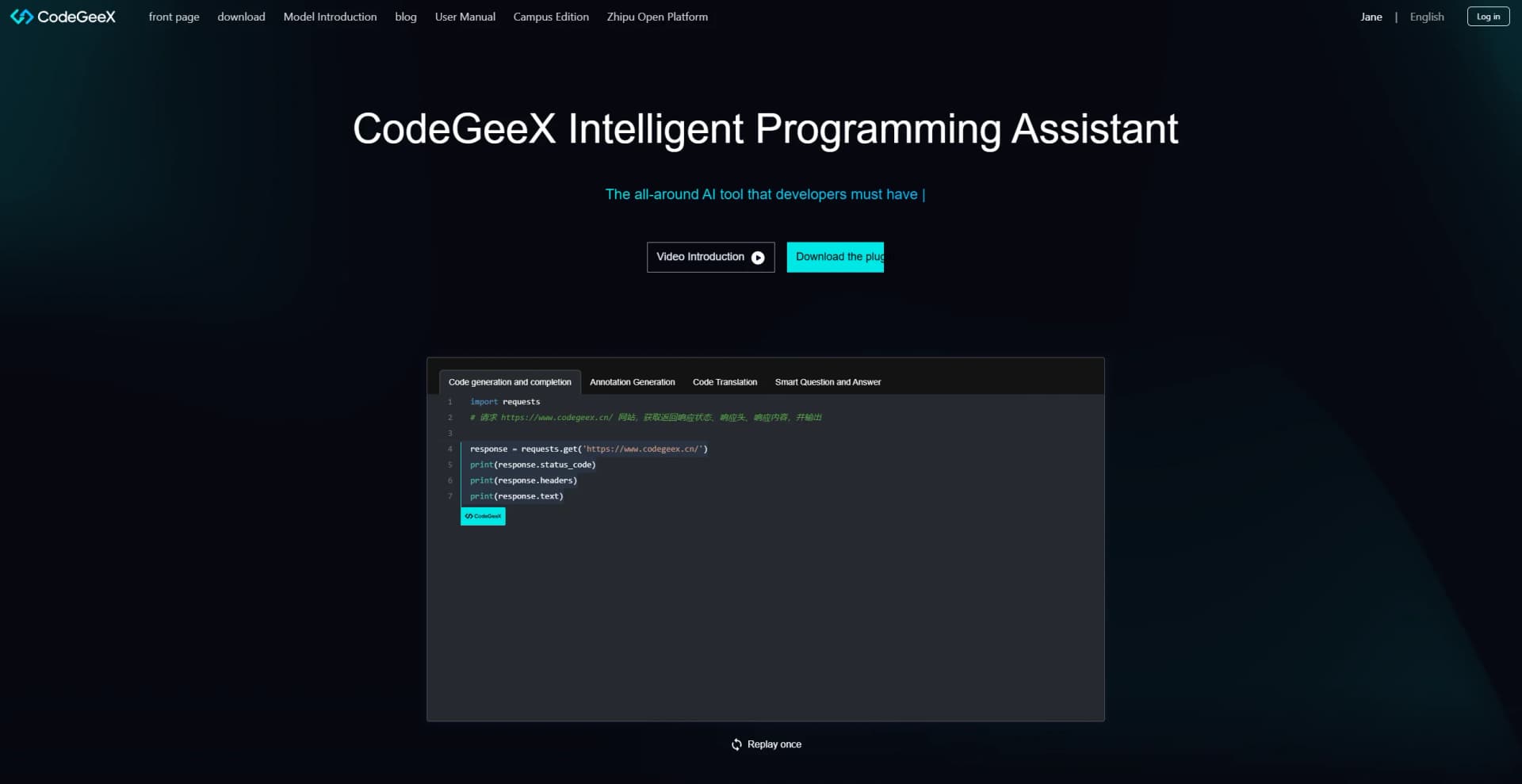
Generate and complete code
Write natural-language comments or partial code and use CodeGeeX to generate the next code or complete the current block.
Outcome: Faster implementation of functions and common algorithms.
Translate code between languages
Select code and use CodeGeeX to translate it into another programming language.
Outcome: Reduced effort when porting code across languages.
Explain, fix, and document code
Ask CodeGeeX to explain selected code, fix bugs, or add Chinese or English comments.
Outcome: Improved understanding and maintainability.
Generate unit tests
Select a function or use the testing command to generate corresponding unit-test code.
Outcome: Less manual test boilerplate.
Query repositories and documents
Use repository or document retrieval and upload local files for contextual questions and answers.
Outcome: More context-aware development assistance.
Workflow Ideas with CodeGeeX
Generate and review a function
- 1Write a natural-language comment describing the function
- 2Accept or edit the generated code in the IDE
- 3Run CodeGeeX code review and apply useful suggestions
Translate and test legacy code
- 1Select code written in the source language
- 2Run CodeGeeX code translation into the target language
- 3Generate unit tests for the translated function
Ask questions about project knowledge
- 1Configure a repository or document source, or upload a local file
- 2Ask a technical question in the CodeGeeX sidebar or web Q&A
- 3Review, copy, save, or reuse the generated answer or code
How CodeGeeX fits into your stack
Browser
The enterprise edition provides browser-based login and web intelligent Q&A, including code, document, repository, and uploaded-file questions. URL: https://v4-enterprise.codegeex.cn/docs/guide/user_manual.html
Desktop / IDE
CodeGeeX primarily lives inside VS Code and JetBrains IDEs, providing completion, inline chat, code explanation, translation, testing, review, and bug fixing. URL: https://marketplace.visualstudio.com/items?itemName=aminer.codegeex
Knowledge and files
Enterprise deployments use repository and document knowledge through RAG, and support local-file questions from the web interface. URL: https://v4-enterprise.codegeex.cn/docs/guide/user_manual.html
Automation and APIs
Developers can create CodeGeeX API applications with API keys and request endpoints; enterprise users can also call GitLab and Gitee functions. URLs: https://github.com/zai-org/CodeGeeX/blob/main/api/README_zh.md and https://v4-enterprise.codegeex.cn/docs/guide/user_manual.html
Pros
- +Time Efficiency: Significantly reduces coding time by providing instant code suggestions and completions.
- +Error Reduction: Minimizes potential coding errors with intelligent suggestions and debugging features.
- +Versatility: Supports a wide range of programming languages, catering to diverse developer needs.
- +User-Friendly Interface: Designed with an intuitive interface that simplifies navigation and usage for both novice and experienced developers.
Cons
- −Initial Learning Curve: Some users may require time to fully explore and utilize all advanced features.
- −Limited Offline Functionality: Certain features may require an internet connection to function optimally.
Limitations & when to consider alternatives
Known limitations
- IDE-centered usage. The documented product is delivered primarily through IDE plugins, including VS Code and JetBrains IDEs.
- Enterprise server configuration. Enterprise users must configure a private server or host address before using the enterprise plugin.
- Generation latency increases with more candidates. The enterprise settings document says candidate counts of one, two, or three trade faster generation for more alternatives.
- Limited documented upload formats. The enterprise upload list focuses on source-code and text/document formats such as PDF, DOCX, Markdown, and TXT.
- Private deployment requires infrastructure. Enterprise private deployment requires an organization-managed server address and administrator configuration.
Look elsewhere when
- You need a native mobile app
- You need a standalone desktop application
- You need SAML-based enterprise identity controls
- You need documented encryption standards
How to Use CodeGeeX
- 1
Install the IDE plugin
Install CodeGeeX from the VS Code or JetBrains plugin marketplace, then restart the IDE if required.
- 2
Generate or complete code
Enter a comment or partial code and accept the inline suggestion with the IDE’s completion command or Tab.
- 3
Open Ask CodeGeeX
Open the CodeGeeX sidebar to ask technical questions, explain code, fix bugs, translate code, or generate tests.
- 4
Use repository or document Q&A
For enterprise deployments, configure repositories or documents, then ask questions using RAG-backed context.
- 5
Connect third-party services
Enterprise administrators can configure GitLab or Gitee credentials so CodeGeeX can invoke supported repository actions.
- 6
Configure language and generation preferences
Adjust chat/comment language, candidate count, completion delay, generation mode, and repository-level completion in settings.
Who is CodeGeeX For?
Software developers
CodeGeeX provides inline completion, code generation, explanations, translation, debugging assistance, and technical Q&A inside IDEs.
Enterprise development teams
The enterprise version adds private deployment, enterprise administration, repository and document RAG, and business-code fine-tuning.
Students and teachers
The campus edition is positioned as an AI programming teaching assistant for programming courses and classroom support.
Open-source model researchers
The CodeGeeX model, source code, model weights, and multilingual benchmark resources are publicly available.
Frequently Asked Questions
What is CodeGeeX?
CodeGeeX is an AI programming assistant for code generation, completion, comments, code translation, and technical Q&A.
Which programming languages does CodeGeeX support?
The enterprise documentation lists more than 300 supported programming languages, with stronger support for 30 mainstream languages.
Which IDEs does CodeGeeX support?
Supported environments include Visual Studio Code, JetBrains IDEs, HBuilderX, DeepIn-IDE, and other mainstream IDE platforms.
Can CodeGeeX answer questions about repositories and documents?
The enterprise version supports repository-level Q&A, document-library Q&A, RAG, and uploaded-file Q&A.
Can CodeGeeX generate unit tests?
Users can generate unit tests from selected functions or through the /tests command.
Can CodeGeeX be privately deployed?
The enterprise version supports local private deployment and provides an enterprise administration backend.
Community reviews
Be the first to share your experience.
Sign in to leave a review for CodeGeeX.
CodeGeeX Alternatives
Looking for alternatives to CodeGeeX? Here are similar tools in the same category:
Learn to Master CodeGeeX
With Skill Leap courses
Get in-depth training on CodeGeeX and 50+ other AI tools with our expert-led video courses.
Start 7-Day Free Trial