
ChatWithPDF
Interact, summarize, analyze PDFs and YouTube effortlessly.
Key Takeaways
- What it is
- Interact, summarize, analyze PDFs and YouTube effortlessly.
- Pricing
- Freemium
- Best for
- Chat With PDF or Document
- Summarize YouTube Videos
- Summarize PDFs or Documents
- Rating
- 4.6/5
What is ChatWithPDF?
In an era where digital documentation and learning are paramount, ChatWithPDF emerges as a cutting-edge AI tool designed to streamline the way we interact with text-based content. This tool is primarily focused on enhancing productivity by allowing users to chat with PDFs, summarize documents, and analyze YouTube videos for essential insights. Whether you're a student, business professional, or researcher, ChatWithPDF is tailored to simplify your informational needs and transform dense material into manageable, interactive dialogues.
ChatWithPDF distinguishes itself by providing an interactive layer to document handling and video content analysis. Its unique capability to transform static reading into a dynamic chat-based inquiry session makes it stand out. This innovative approach not only saves time but also enhances understanding and retention of information.
ChatWithPDF excels in transforming the interaction with digital documents and video content, making it an indispensable tool for anyone looking to enhance their productivity and comprehension in the digital age. Its unique features, like direct document interaction and video summarization, provide unmatched advantages, particularly for users who engage with extensive informational content.
Who is Using ChatWithPDF?
Researchers
Quickly sift through extensive literature and extract vital data and insights efficiently.
Professionals
Handle business documents, contracts, and reports by simplifying complex terms and extracting key points.
Students
Interact with study materials dynamically, making learning more engaging and less daunting.
Educational Institutions
Employ ChatWithPDF for teaching aids, providing students and educators with a powerful tool for study and explanation.
Freelancers
Utilize the tool to manage and review extensive documents and materials with ease.
Key Features
Rating Breakdown
Pricing Plans
Free Tier
Free
- Users can experience the basic functionalities of ChatWithPDF without any cost
Premium Tier
- More advanced features and higher usage limits
- Users can opt for the premium version. Details are available on the ChatWithPDF website
Which ChatWithPDF plan should you pick?
Start with Free for casual PDF chat and research exploration, then upgrade to Plus or higher when you need larger limits, collaboration, or systematic-review capacity.
Free
Good for casual exploration who need basic Chat with PDF, limited research searches, reference management, and a small monthly AI-credit allowance.
Plus
Good for deeper research who need unlimited AI searches, larger extraction tables, collaboration, and up to 1,000-paper systematic reviews.
Pro
Good for power researchers who need higher AI-credit volume, larger systematic reviews, collaboration, and expanded extraction capacity.
Evidence
Good for systematic-review teams who need high-volume credits, dual-review screening, dedicated support, and larger evidence-synthesis workflows.
Enterprise
Good for companies and institutions who need custom usage, centralized administration, collaboration, and institution-level access controls.
ChatWithPDF Use Cases
Summarize a research paper
Upload a PDF and ask Chat with PDF for a summary of the document or selected sections.
Outcome: A concise, queryable understanding of the paper.
Find evidence for a claim
Ask questions about a paper and retrieve relevant passages and supporting evidence.
Outcome: Evidence-linked answers grounded in the document.
Extract study metrics
Use PDF chat or Extract Data to pull numerical data, study populations, variables, and outcomes.
Outcome: Structured information that can be compared across papers.
Run a systematic review
Define a research question, screen papers, extract data, verify decisions, and generate a report.
Outcome: An auditable systematic review with evidence links and a PRISMA diagram.
Collect and manage research papers
Use the Chrome extension to save papers, retrieve PDFs, organize references, and generate citations.
Outcome: A connected research library ready for search, review, extraction, and writing.
Workflow Ideas with ChatWithPDF
Chat with a research PDF
- 1Upload a PDF
- 2Ask questions or request a summary
- 3Review the answers and cited passages
Build a shared research library
- 1Create a team workspace
- 2Invite members and assign roles
- 3Share folders and organize references together
Run an AI systematic review
- 1Define the research question and protocol
- 2Screen papers and extract the predefined data
- 3Verify the results and generate the final report
How ChatWithPDF fits into your stack
Multiple Document Formats
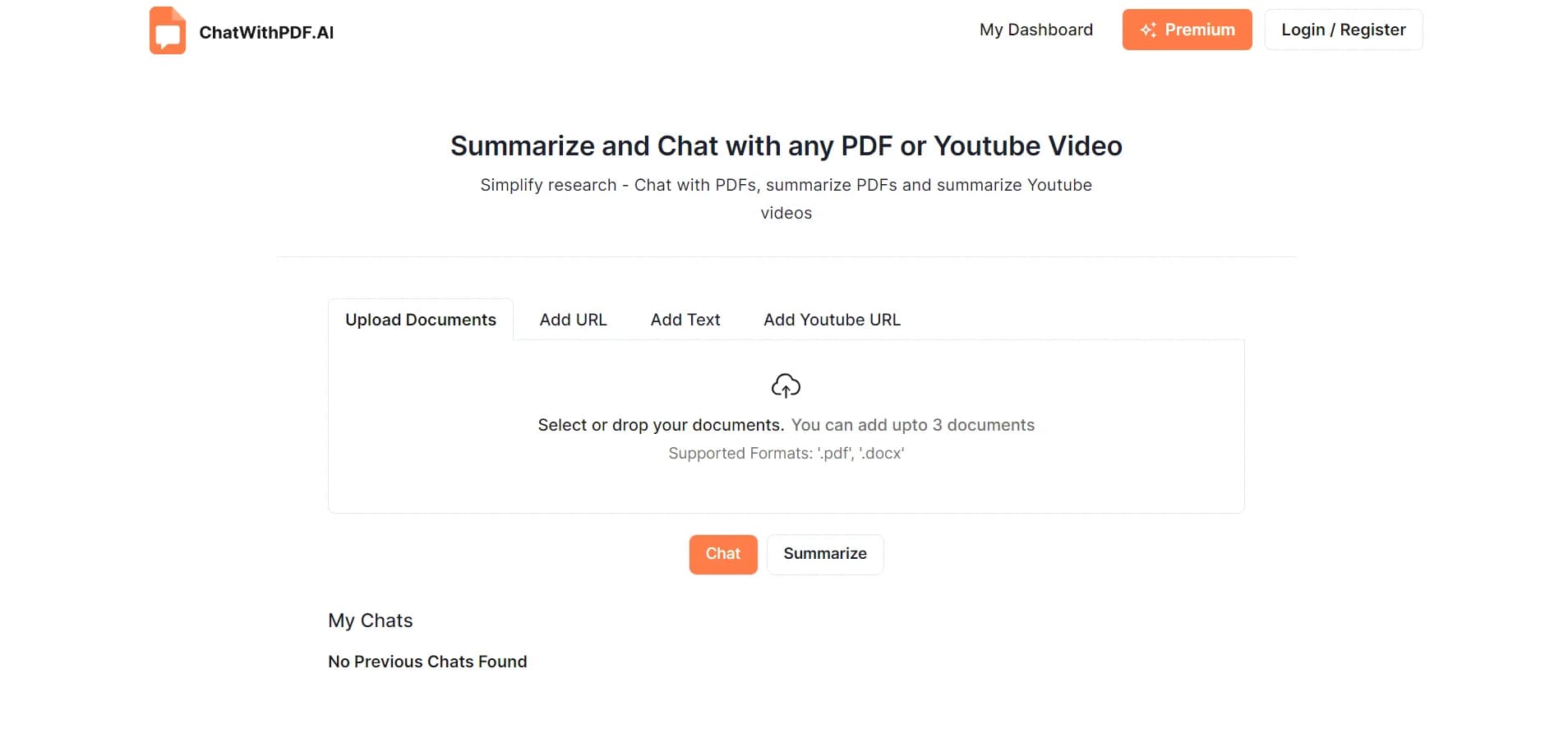
Supports '.pdf' and '.docx' formats, ensuring a wide range of document compatibility.
Upcoming Browser Extension
Future support for a Chrome Extension will further streamline user interaction directly on the web.
Pros
- +Efficiency in Learning and Research: Converts hours of document navigation into minutes of interactive engagement.
- +User-Friendly Interface: Makes it easy for users of all skill levels to navigate and utilize the tool effectively.
- +Versatility: Supports a broad range of users, including students, professionals, and researchers, by catering to diverse documentation needs.
- +Privacy and Security: Ensures that documents are handled securely, with options to delete stored data permanently.
Cons
- −Daily Limitations: Users can interact with up to only 3 documents or YouTube videos per day in the free version.
- −Chrome Extension Not Yet Available: Some features, like the Chrome Extension, are still in development and not immediately available.
- −Learning Curve: New users may require some time to fully exploit the advanced features offered by ChatWithPDF.
Limitations & when to consider alternatives
Known limitations
- Free-plan usage limits. The Free plan includes limited AI searches, 2,000 monthly AI credits, extraction tables of up to 5 columns and 10 papers, and 10 Search API requests per month.
- API quotas and rate limits. API access is limited by plan-specific monthly call quotas and per-minute request limits; exceeding either returns a 429 error.
- PDF retrieval depends on access. The browser extension may not retrieve paywalled PDFs without institutional access or an open-access version.
- Some PDFs may fail indexing. Corrupted PDFs, scanned documents without OCR, or unsupported files may fail indexing.
- Organizations require multiple seats. Creating an organization requires at least two active subscription seats; Free plans and single-seat subscriptions cannot create organizations.
How to Use ChatWithPDF
- 1
Users can access various resources on the ChatWithPDF website to get started and make the most out of the tool's features. These include step-by-step guides and FAQs.
Who is ChatWithPDF For?
Researchers
Paperguide is built for scientific research, literature reviews, evidence synthesis, and citation-grounded writing.
Students
Students can use the free research workspace, PDF chat, reference management, and AI writing tools.
PhD researchers
The platform supports gathering literature, attaching full-text PDFs, extracting evidence, and drafting research documents.
Faculty
Faculty can organize research libraries, collaborate in shared workspaces, and manage team access.
Research teams
Teams can use shared workspaces, member roles, real-time library collaboration, and systematic-review workflows.
Frequently Asked Questions
Does Paperguide offer a free plan?
Yes. The Free plan includes 2,000 AI credits per month, limited reference management and AI searches, Chat with PDF, Deep Research Report, Zotero and Mendeley import, MCP access, and 10 Search API requests per month.
What paid plans does Paperguide offer?
Paperguide offers Plus at $12 per seat per month billed annually, Pro at $29 per seat per month billed annually, and a custom-priced Enterprise plan.
Can I chat with multiple PDFs?
Yes. Chat with PDF supports comparing methods or results across multiple PDFs in one conversation. Free users can upload up to five PDFs per session, while paid plans support unlimited uploads.
Does Paperguide support team collaboration?
Yes. Organizations can invite members, assign organization and workspace roles, and collaborate in shared team workspaces containing references, writing, reviews, extraction tables, and notebooks.
Does Paperguide provide an API?
Yes. The Paperguide API uses API keys and currently provides GET /search for academic-paper search and GET /usage for account usage and quota information.
Which languages does Paperguide support?
Paperguide supports English, German, French, Spanish, Portuguese, Italian, Japanese, Mandarin Chinese, Indonesian, Thai, and Vietnamese, with additional languages possible through prompts.
Community reviews
Be the first to share your experience.
Sign in to leave a review for ChatWithPDF.
ChatWithPDF Alternatives
Looking for alternatives to ChatWithPDF? Here are similar tools in the same category:
Learn to Master ChatWithPDF
With Skill Leap courses
Get in-depth training on ChatWithPDF and 50+ other AI tools with our expert-led video courses.
Start 7-Day Free Trial