
Botly
AI chatbot enhances OnlyFans creator-fan interactions and revenue.
Key Takeaways
- What it is
- AI chatbot enhances OnlyFans creator-fan interactions and revenue.
- Pricing
- $15 per month
- Best for
- AI-Powered Chat Responses
- Chrome Extension
- Contextual Understanding
- Rating
- 4.2/5
What is Botly?
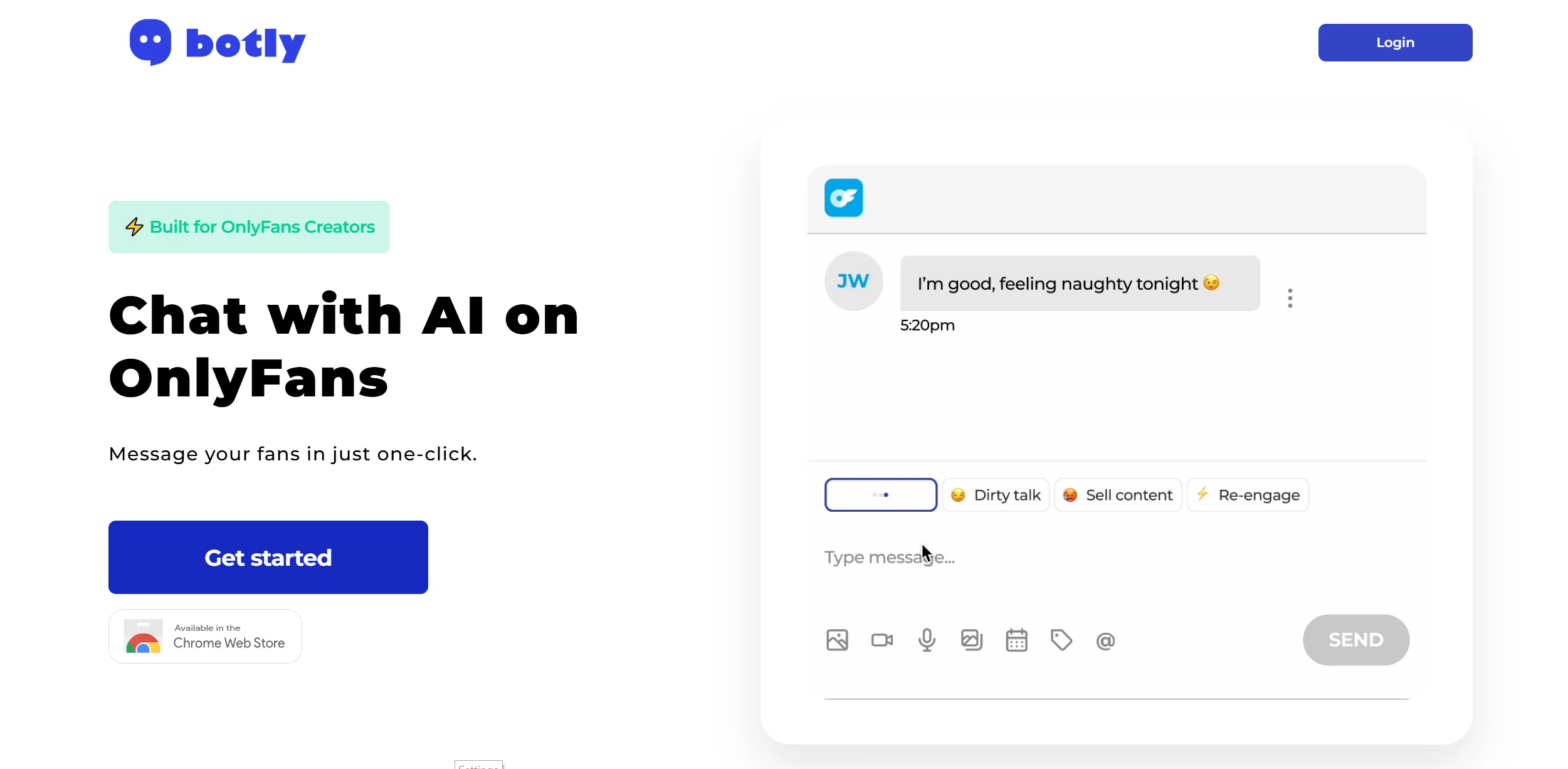
Botly, is an AI-driven chatbot designed specifically for OnlyFans creators. Its primary function is to enhance fan interactions by automating chat responses, making them feel authentic and engaging. This tool is tailored for content creators looking to streamline communication with their audience, thus saving time and boosting revenue.
Botly stands out with its ability to mimic the creator's unique chat style, offering an authentic conversational experience. This feature, combined with its seamless integration via a Chrome extension, sets Botly apart as a specialized tool for OnlyFans creators looking to enhance fan engagement and drive conversions.
Botly offers a robust solution for OnlyFans creators aiming to enhance their fan interactions through AI-driven chat automation. Its intuitive design and personalized response capabilities make it an invaluable tool for boosting engagement and revenue. Despite a few limitations, Botly's ability to streamline communication and provide authentic interactions truly sets it apart in the digital content landscape.
Who is Using Botly?
OnlyFans Creators
Primarily used by content creators on OnlyFans to enhance engagement with their fanbase.
Adult Content Agencies
Agencies managing multiple creators use Botly to streamline fan interactions and boost overall productivity.
Social Media Influencers
Influencers looking to maintain consistent communication with their audience on subscription platforms.
Digital Marketing Professionals
Those in digital marketing utilize Botly for its ability to convert casual fans into paying subscribers.
Uncommon Use Cases
Educational institutions exploring AI in digital communication courses; freelancers using the tool for managing multiple client accounts efficiently.
Key Features
Rating Breakdown
Pricing Plans
Membership
$15 per month
- Billed monthly
Free Trial
- A 7-day free trial is available
- Offering unlimited chats
- Personalized interactions
- More
Which Botly plan should you pick?
Start with the Membership plan during the 7-day trial; continue at US$15 monthly when you need unlimited chats and multilingual reply assistance.
Membership
Good for creators who need unlimited chats, personalized interactions, multilingual capabilities, one-click replies, and access to the private Telegram channel.
Botly Use Cases
Generate fan replies
Select a communication tone and generate a suggested response inside OnlyFans.
Outcome: Faster, more consistent fan messaging.
Personalize interactions
Use Botly’s personalized-interaction capability to shape replies for creator conversations.
Outcome: Replies intended to better match the creator’s communication style.
Support multilingual conversations
Use the multilingual capability when communicating with fans in different languages.
Outcome: Broader language coverage for fan engagement.
Train chatting specialists
Use Botly Dojo scenarios to test grammar, fluency, creativity, emotional intelligence, and typing speed.
Outcome: Structured proficiency results for agency chatters.
Workflow Ideas with Botly
Generate an OnlyFans reply
- 1Install the Botly Chrome Extension
- 2Open OnlyFans and refresh the messages tab
- 3Select a tone and click the blue reply arrow
Set up a creator
- 1Create or log in to a Botly account
- 2Enter the creator name, OnlyFans URL, and gender
- 3Add another creator if needed
Evaluate a chatter
- 1Create a Botly Dojo chatter account
- 2Assign a scenario or proficiency test
- 3Review grammar, fluency, creativity, emotional intelligence, and WPM results
How Botly fits into your stack
Browser
Botly is delivered as a Chrome browser extension that operates alongside OnlyFans messaging, providing one-click AI reply assistance.
Pros
- +Time Efficiency: Automates repetitive chat tasks, freeing up creators to focus on content creation.
- +Enhanced Engagement: Personalized responses increase fan interaction and loyalty.
- +Revenue Boost: Facilitates upselling of premium content through strategic messaging.
- +User-Friendly Setup: Easy integration with existing platforms via a Chrome extension simplifies the onboarding process.
Cons
- −Initial Learning Curve: Users may need time to adjust to the AI's functionalities and optimize settings for best results.
- −Platform Limitation: Currently designed specifically for OnlyFans, limiting use with other content platforms.
- −Subscription Cost: Monthly fee may be a barrier for creators with limited budgets.
Limitations & when to consider alternatives
Known limitations
- No mobile support in Botly Dojo. The official Dojo page states that Dojo does not support mobile devices currently.
- Dojo is testing-only. Botly Dojo is described as intended for testing chatters rather than general production use.
- Dojo is limited to chatters. The Dojo signup page states that the beta is currently available only for chatters to sign up.
- Paid membership after trial. The main Botly membership is listed at US$15 per month after the 7-day free trial.
- Chrome-based setup. The documented product workflow requires the Botly Chrome Extension and an OnlyFans browser session.
Look elsewhere when
- You need a native mobile app.
- You need a documented developer API.
- You need a desktop installer.
How to Use Botly
- 1
Create your account
Register with email and password or Google sign-in, then provide the creator details Botly requests.
- 2
Install the Chrome Extension
Download Botly from the Chrome Store so it can operate alongside your OnlyFans messaging session.
- 3
Open and refresh OnlyFans
Open OnlyFans, navigate to messages, and refresh the tab so Botly can load the chat interface.
- 4
Choose a reply tone
Select the tone that fits the conversation before generating a suggested response.
- 5
Send the suggested reply
Click the blue arrow button in the message field to use the generated response.
- 6
Manage billing
Use the billing portal to cancel before the trial ends or manage the paid membership.
Who is Botly For?
OnlyFans creators
Botly provides personalized reply assistance for creator-to-fan conversations.
OnlyFans agencies
Botly Dojo supports agencies that train and test chatting specialists.
Chatters
Chatters can use Botly Dojo to complete proficiency tests covering writing, creativity, and emotional intelligence.
Frequently Asked Questions
What does Botly help with?
Botly helps creators generate personalized OnlyFans replies, select tones, and respond with one click.
Does Botly support multiple languages?
Yes. The official pricing page lists multilingual capabilities.
How do I use Botly with OnlyFans?
Install the Chrome Extension, log in, open OnlyFans, refresh messages, select a tone, and click the reply button.
Does Botly offer a free trial?
Yes. The membership page offers a 7-day free trial and says you are not charged until it ends.
Does Botly support mobile devices?
Botly Dojo states that it currently does not support mobile devices.
What is Botly Dojo?
Botly Dojo is a qualification and testing tool for OnlyFans agencies to assess chatting specialists.
Community reviews
4 reviews from people who use Botly.
Sign in to leave a review for Botly.
Celina Va
Gee
Jérémie Jamagne
Bri Ina
Botly Alternatives
Looking for alternatives to Botly? Here are similar tools in the same category:
Learn to Master Botly
With Skill Leap courses
Get in-depth training on Botly and 50+ other AI tools with our expert-led video courses.
Start 7-Day Free Trial