
AI LMS by Coursebox
Revolutionize education with AI-driven course creation and tutoring.
Watch AI LMS by Coursebox in Action
Key Takeaways
- What it is
- Revolutionize education with AI-driven course creation and tutoring.
- Pricing
- Freemium
- Best for
- AI-Powered Course Creation
- AI Assessment Tools
- AI Chatbot Tutors
- Rating
- 4.4/5
What is AI LMS by Coursebox?
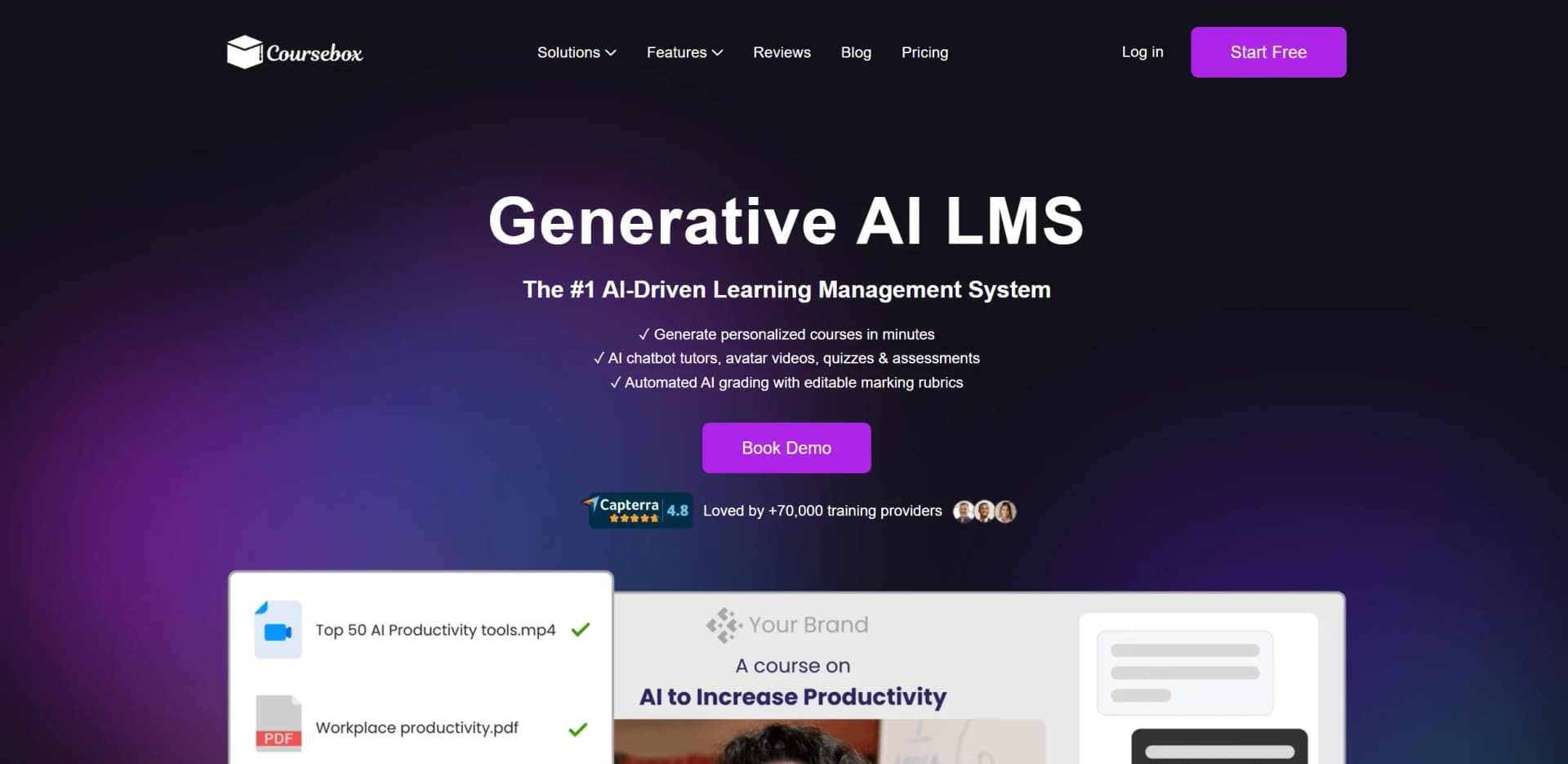
AI LMS by Coursebox is a groundbreaking AI-driven Learning Management System designed to revolutionize the way educational content is created, delivered, and assessed. Tailored for educational institutions, businesses, and training providers, this tool offers a comprehensive suite of AI-powered features to streamline the learning process. It simplifies course creation, automates grading, and enhances learner engagement through personalized AI tutors and interactive content.
AI LMS by Coursebox stands out with its ability to seamlessly integrate AI-driven features into existing learning environments. Its unique selling point lies in the AI chatbot tutors and the ability to generate personalized courses quickly, making it a game-changer for educational institutions and businesses looking to enhance their e-learning offerings.
AI LMS by Coursebox offers an innovative approach to learning management, empowering educators and trainers with AI-driven tools that enhance efficiency and engagement. Its comprehensive features and user-friendly design make it a valuable asset for any organization looking to modernize its educational offerings. Whether you're an educational institution, corporate trainer, or freelance educator, AI LMS by Coursebox provides the tools you need to deliver high-quality, impactful learning experiences.
Who is Using AI LMS by Coursebox?
Educational Institutions
Utilizing the tool for creating and managing online courses efficiently.
Corporate Training Departments
Employing AI LMS for scalable and cost-effective employee training programs.
Freelance Educators
Leveraging the AI-driven features to offer personalized tutoring and assessments.
E-learning Content Creators
Using the platform to streamline course development and distribution.
Key Features
Rating Breakdown
Pricing Plans
Free Tier
Free
- Offers a free trial to explore the features of AI LMS by Coursebox
Which AI LMS by Coursebox plan should you pick?
Start with Free to test the platform, choose Creator for paid course creation, and upgrade to Pro, Business, or Enterprise when you need branding, multiple administrators, advanced integrations, or SSO.
Free
Good for testing Coursebox with three mini courses, limited AI credits, and unlimited learners.
Creator
Good for solo creators who need unlimited courses, document conversion, AI quizzes, videos, grading, and course exports.
Plus
Good for creators who need more AI credits than Creator without moving to a fully branded platform.
Pro
Good for a single administrator who needs a fully branded LMS, custom domain, gamification, pathways, and optional branded mobile apps.
Business
Good for organisations and teams that need multiple admin licences, resource libraries, portal chatbots, API access, and higher usage limits.
Enterprise
Good for large organisations, universities, and government users needing SSO, custom hosting, migration, security reviews, and bespoke customisations.
AI LMS by Coursebox Use Cases
Adopted by non-profit organizations for community education programs.
Utilized by language schools to offer diverse language courses.
Workflow Ideas with AI LMS by Coursebox
Turn source documents into a published course
- 1Upload a PDF, Word document, or PowerPoint
- 2Review and edit the AI-generated lessons, quizzes, and activities
- 3Publish the course in Coursebox or export it through SCORM or LTI
Automate learner onboarding
- 1Connect Coursebox to Zapier or use the Open API
- 2Trigger enrolment from a form, spreadsheet, CRM, or HR system
- 3Send invitations and enrol learners automatically
Automate completion and certification workflows
- 1Use Coursebox completion events as workflow triggers
- 2Send notifications or update external CRM and reporting systems
- 3Issue or distribute course certificates automatically
How AI LMS by Coursebox fits into your stack
Browser
Coursebox is primarily a browser-based AI course authoring and LMS platform. Admins create, edit, publish, manage, and analyze courses through the web interface.
Knowledge and files
Users upload PDFs, DOCX files, slide decks, videos, URLs, and existing courses as source material. Coursebox converts those materials into courses or grounds its embedded AI tutor on them.
Automation and APIs
The Open API supports programmatic learner and course management. Zapier connects Coursebox with other applications for automated enrolment, onboarding, profile updates, and completion workflows.
Mobile
Learners can access Coursebox through the official iOS and Android apps. Pro and Enterprise customers can also purchase a branded mobile app add-on.
Pros
- +Automated Efficiency: Reduces workload by automating grading and course creation, allowing educators to focus on content quality.
- +Personalized Learning: AI tutors and tailored content increase learner engagement and retention.
- +Global Accessibility: Supports over 60 languages, making it accessible to a diverse user base worldwide.
- +Seamless Integration: Easily integrates with existing LMS platforms, enhancing functionality without requiring a complete system overhaul.
Cons
- −Initial Setup Complexity: The comprehensive features may require a learning curve for new users to fully utilize.
- −Feature Overload: Some users might find the extensive features overwhelming without proper guidance.
- −Limited Offline Access: Predominantly online-focused, which may limit functionality in areas with poor internet connectivity.
Limitations & when to consider alternatives
Known limitations
- Free plan has limited course and AI usage. The Free plan is limited to three mini courses, five pages per course, limited AI credits, and Coursebox watermarks.
- Free plan does not include document-to-course conversion. Document conversion is available on paid plans such as Creator and above.
- Some mobile features require an eligible LMS account. The Coursebox LMS mobile app is intended for standalone LMS, Business, and Enterprise accounts.
- Dynamic SCORM requires an active subscription. Dynamic SCORM remains connected to Coursebox and requires an active subscription to keep running.
- Some API functions are limited. The documented API does not currently support pushing results or assessments in its current version.
How to Use AI LMS by Coursebox
- 1
Create an account
Start with the Free plan to explore the platform without entering payment details.
- 2
Add your source material
Describe a topic or upload a PDF, Word document, or PowerPoint to generate the initial course structure and content.
- 3
Review and edit the course
Use the drag-and-drop editor or AI editing tools to revise lessons, add media, and adjust quizzes or activities.
- 4
Add learner engagement features
Add AI quizzes, flashcards, scenarios, narrated videos, AI tutoring, grading, certificates, or gamification.
- 5
Publish or export
Host the course in Coursebox, publish it on a branded domain, or export it through SCORM, LTI, PDF, or HTML.
- 6
Connect external systems
Use native integrations, Zapier, LTI, or the Open API to automate enrolments, reporting, payments, and certification workflows.
Who is AI LMS by Coursebox For?
Training providers
Coursebox supports branded portals, course sales, learner management, analytics, certificates, and SCORM or LTI delivery.
Accredited training providers
The platform supports structured training delivery, assessments, AI grading, certificates, and integrations with existing LMS systems.
Instructional designers
AI course authoring, document conversion, interactive content, quizzes, scenarios, and drag-and-drop editing accelerate course development.
Creators
Creators can build, brand, publish, and sell courses with payment integrations and unlimited learners on paid plans.
Colleges and universities
Coursebox provides LMS integrations, SSO, learner analytics, collaboration tools, and enterprise deployment options.
Frequently Asked Questions
Is there a free version of Coursebox?
Yes. Coursebox offers a $0 Free plan with three mini courses, limited AI credits, unlimited learners, and no credit card required.
Can Coursebox convert documents into courses?
Yes. Users can upload PDFs, Word documents, or PowerPoint files and convert them into complete courses.
Does Coursebox support existing LMS platforms?
Yes. Courses can be exported through SCORM or LTI, and Coursebox supports integrations with many LMS platforms.
Does Coursebox support single sign-on?
Yes. SAML 2.0 single sign-on is supported, with SSO listed for Enterprise and available through supported business integrations.
Can Coursebox automate enrolments and certifications?
Yes. Zapier workflows can automate enrolments, lead capture, CRM updates, reporting, scheduling, email marketing, and certification processes.
Can learners use Coursebox on mobile?
Yes. The Coursebox LMS app is available for iOS and Android for eligible LMS, Business, and Enterprise accounts.
Community reviews
Be the first to share your experience.
Sign in to leave a review for AI LMS by Coursebox.
AI LMS by Coursebox Alternatives
Looking for alternatives to AI LMS by Coursebox? Here are similar tools in the same category:
Learn to Master AI LMS by Coursebox
With Skill Leap courses
Get in-depth training on AI LMS by Coursebox and 50+ other AI tools with our expert-led video courses.
Start 7-Day Free Trial